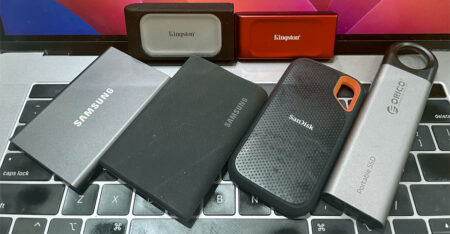
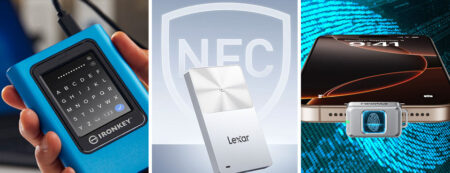
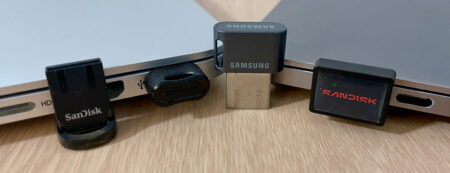
We put five USB 3.2 flash drives from Kingston, PNY, Samsung, and Sandisk to test. They all come from reliable brands that have been in the flash drive business since the inception of the product category. For this round-up, we kept the focus on USB-C thumb drives that strike a usable balance between form factor, capacity, and real-world transfer speed — plus one hardware-encrypted outlier for readers who need the drive itself to be the lock.
For those of you who value size over speed, mini USB drives serve well as semi-permanent storage for your laptops. Likewise, if you need a drive for data exchange between USB-C and legacy USB ports, dual-headed flash drives are just what you need but speeds don’t match the ones featured in this article.
Editor’s Choices
Sandisk Extreme PRO is hard to beat for large and small file jobs alike. In our 10GB MP4 test, it led the pack at 776.91MB/s read and 599.55MB/s write, while also posting the fastest photo folder read at 686.56MB/s. Available in capacities from 256GB to 2TB, its aluminum alloy chassis features a smooth, reassuring USB slider mechanism. The drive is also backed by a lifetime warranty along with consistently better pricing and availability.
PNY PRO Elite V3 finishes a close second in overall throughput, trailing just behind the Sandisk Extreme PRO. Between the two, the PNY is a tad smaller and even has an arguably better designed retractable connector. Our main caveat is its a two-year warranty — the shortest in this comparison.
Former Favorite
The Kingston DataTraveler Max — our previous Editor’s Choice — is discontinued. Even though its speed remains competitive, newer rivals offering sturdier build quality have since superseded it. As for Samsung, its low-profile USB-C flash drive delivers acceptable performance for its size, but RAMageddon-driven price hikes make it much less appealing.
Feature Comparison
 Kingston DataTraveler Max Price not available for 512GB |  Kingston IronKey Keypad 200 $239.99 for 256GB |  PNY PRO Elite V3 $199.99 for 1TB |  Samsung USB Type-C Drive $145.99 for 512GB |  Sandisk Extreme PRO $134.99 for 512GB |  Sandisk Extreme Fit $114.99 for 512GB |
|
| Connector: | USB-C | USB-C | USB-C | USB-C | USB-C | USB-C |
| Storage: | 256GB - 1TB | 16 - 512GB | 256GB - 2TB | 64 - 512GB | 256GB - 2TB | 64GB - 1TB |
| Interface(s): | USB 3.2 Gen 2 (10Gbps) | USB 3.2 Gen 1 (5Gbps) | USB 3.2 Gen 2 (10Gbps) | USB 3.2 Gen 1 (5Gbps) | USB 3.2 Gen 2 (10Gbps) | USB 3.2 Gen 1 (5Gbps) |
| UASP? | Yes | No | Yes | No | Yes | Yes |
| Movie Read: (10GB MP4) | 725.08MB/s | 152.37MB/s | 747.97MB/s | 349.07MB/s | 776.91MB/s | 334.95MB/s |
| Movie Write: (10GB MP4) | 552.52MB/s | 128.01MB/s | 595.45MB/s | 108.86MB/s | 599.55MB/s | 88.89MB/s |
| Photo Read: (10GB JPEGs) | 527.08MB/s | 147.73MB/s | 582.71MB/s | 275.48MB/s | 686.56MB/s | 284.50MB/s |
| Photo Write: (10GB JPEGs) | 364.49MB/s | 105.13MB/s | 347.59MB/s | 87.27MB/s | 336.76MB/s | 69.16MB/s |
| Retractable Connector? | Yes | No | Yes | No | Yes | No |
| Dimensions: | 82.2 x 22 x 9mm | 80 x 20 x 11mm | 57 x 19 x 6mm | 33.7 x 15.9 x 6.4mm | 80.8 x 18.3 x 11.43mm | 18.54 x 13.7 x 16mm |
| Build Material: | Plastic | Aluminium | Metal | Plastic | Aluminum alloy | Plastic body |
| IP Certified? | None | IP68 | None | None | None | |
| Color(s): | Black | Metallic blue | Black | Blue & dark grey | Grey | Black |
| Software: | None | None | None | None | SanDisk Memory Zone | SanDisk Memory Zone |
| Aug 2021 | Aug 2023 | Feb 2025 | July 2022 | Nov 2025 | Dec 2025 | |
| Warranty: | 5 years | 3 years | 2 years | 5 years | Lifetime | 5 years |
Pricing is last updated by Amazon on 2026-10-24 at 08:53. When you buy through Amazon affiliate links on our site, we may earn an affiliate commission.
Benchmark Analysis
Our tests were carried out using Nodesoft’s DiskBench on a MacBook Pro equipped with 10Gbps USB-C ports. Even on laptops with USB4, a USB-C port alone doesn’t ensure maximum throughput; speed ultimately hinges on whether the drive uses a 5Gbps (Gen 1) or 10Gbps (Gen 2×1) USB 3.2 interface.
In our 10GB MP4 single-file movie benchmark, the SanDisk Extreme Pro USB-C took overall honors, achieving an impressive 776.91MB/s read and 599.55MB/s write speed. The PNY PRO Elite V3 trailed just behind, posting a near-identical write throughput of 595.45MB/s and a 747.97MB/s read speed. The Kingston DataTraveler Max also demonstrated strong 10Gbps performance, turning in 725.08MB/s read and 552.52MB/s write.
For the USB 3.2 Gen 1 (5Gbps) drives, bandwidth limits become immediately apparent. The Samsung USB Type-C Flash Drive led the compact category with 349.07MB/s read and 108.86MB/s write, while the flush-mounted SanDisk Extreme Fit closely followed with 334.95MB/s read and 88.89MB/s write. Meanwhile, the security-hardened Kingston IronKey Keypad 200 — which prioritizes PIN-based encryption over raw speed — recorded 152.37MB/s read and 128.01MB/s write.
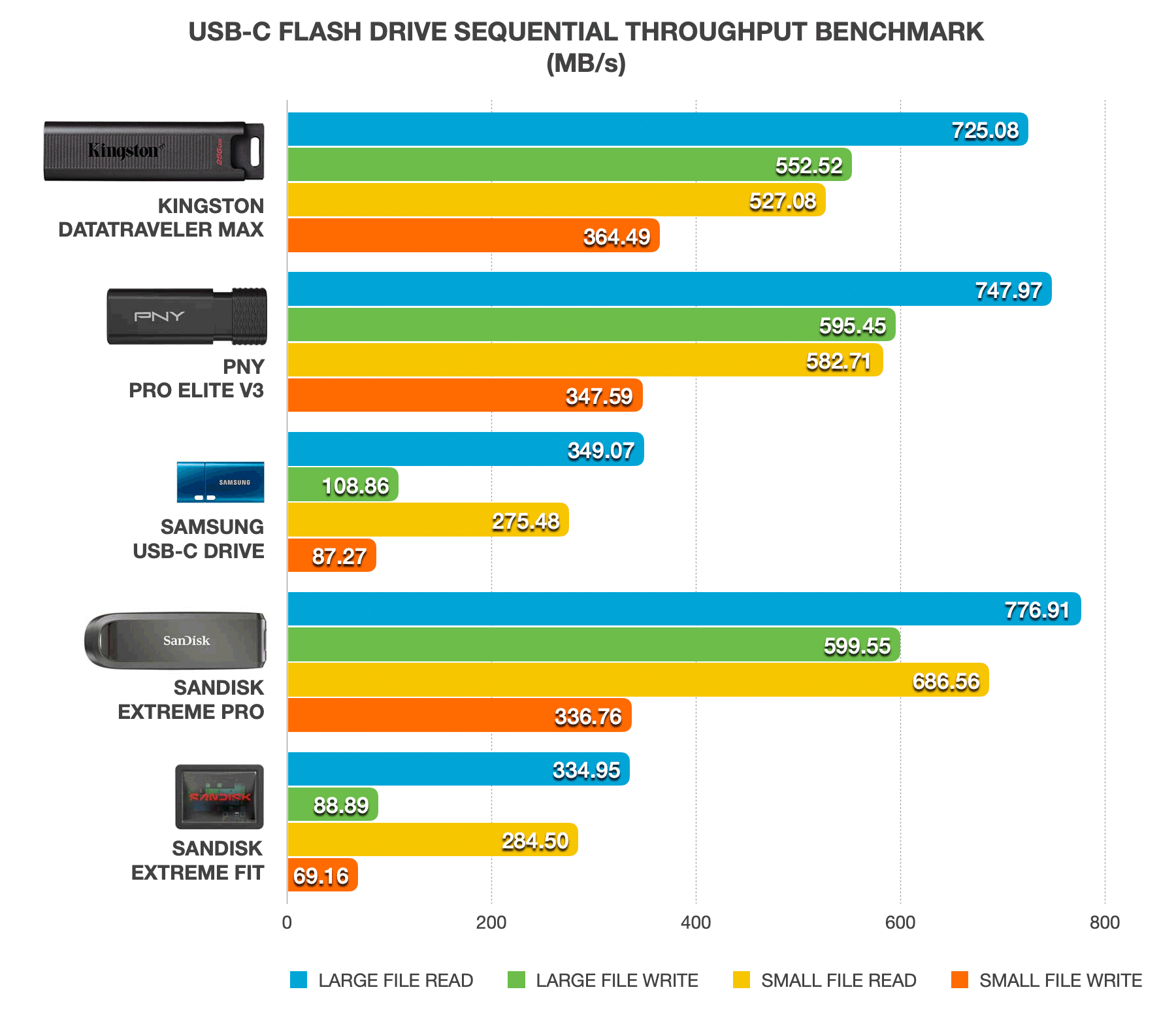
To measure performance during bulk small file transfers, our second test involved moving a 10GB folder of JPEG photos to and from each drive — a crucial benchmark since manufacturers rarely advertise small-file speeds. The SanDisk Extreme Pro maintained its lead in small file read operations at 686.56MB/s, followed by the PNY PRO Elite V3 at 582.71MB/s and the Kingston DataTraveler Max at 527.08MB/s. However, the Kingston DataTraveler Max claimed first place for photo write operations, hitting 364.49MB/s to narrowly beat out PNY (347.59MB/s) and SanDisk (336.76MB/s).
Rounding out the comparison, the SanDisk Extreme Fit recorded 284.50MB/s read and 69.16MB/s write, edging past the Samsung USB Type-C drive in read speed (275.48MB/s read / 87.27MB/s write), while the Kingston IronKey Keypad 200 completed the benchmark with 147.73MB/s read and 105.13MB/s write.
Design & Build
Design and material choices vary significantly across these five drives to suit different priorities, ranging from rugged protection to sleek portability. The SanDisk Extreme Pro uses a contoured aluminum alloy casing with a smooth retractable slider to protect its USB-C connector, while the PNY PRO Elite V3 sports an even sleeker black metal body that reveals the plug when you push the rear end of the chassis inward. Our only gripe with the SanDisk’s finish is that it’s prone to scratches, making it tough to keep pristine over time. Beyond durability, these metal enclosures help dissipate heat during sustained file transfers.
In contrast, the Kingston DataTraveler Max features an all-plastic shell with a ridged push-cap slider. It is relatively lightweight, but feels bulky due to its oversized footprint and lacks the premium feel of its metal competitors. At the other end of the size spectrum, the Samsung USB-C Flash Drive offers a low-profile plastic body with a built-in lanyard loop, making it virtually weightless on a keychain, even if its tiny plastic cap lacks a tether and is easy to lose. The nano-sized SanDisk Extreme Fit takes minimalism a step further, featuring a flush-fitting, plug-and-stay design built nearly seamless against a laptop or tablet port for semi-permanent storage expansion. It’s a first for a USB-C drive.
Finally, the Kingston IronKey Keypad 200 prioritizes extreme physical durability above all else. Encased in heavy-duty cobalt-blue aluminum, its chassis features an integrated alphanumeric keypad protected by a fitted metal sleeve. While it is easily the heaviest and thickest drive in this group, that extra bulk buys serious protection. To top it off, the drive has secured an IP68 rating for dust and water resistance, ensuring it can survive drops, spills, and harsh environments that would harm standard flash drives.

Laptop owners should also mind port clearance. While ultra-compact drives like the Samsung USB-C and SanDisk Extreme Fit plug in comfortably alongside connected cables, the SanDisk Extreme PRO barely squeezes in, and bulkier options like the PNY PRO Elite V3 and both Kingston drives block neighboring ports entirely.
Data Security
When it comes to data security, the Kingston IronKey Keypad 200 sits in a class of its own, offering military-grade protection that is entirely independent of the host operating system.
Featuring an alphanumeric keypad built directly onto its aluminum casing, the drive requires entering an 8-to-15-digit PIN on the device itself before plugging into a host—shielding credentials from keyloggers and malware. Furthermore, built-in PIN creation rules automatically reject weak combinations, such as repetitive or consecutive numbers.
Under the hood, its XTS-AES 256-bit hardware encryption controller is encased in tough epoxy resin to prevent physical tampering and side-channel analysis. Coupled with brute-force defense – which triggers a full cryptographic wipe after ten consecutive failed attempts—the FIPS 140-3 Level 3 validated drive leaves data completely unreadable if the device is lost or stolen. However, if only user PIN attempts are exhausted, an admin PIN (if configured during initial setup) can still recover access before a full wipe occurs. Last but not least, the onboard controller checks for authentic firmware, digitally signed by Kingston. This neutralizes “BadUSB” exploits, preventing malicious code from overwriting the drive’s internal systems to bypass PIN security.
By contrast, the remaining performance-focused drives in this roundup pivot toward software-based encryption. The SanDisk Extreme Pro USB-C and Extreme Fit provide a middle ground for everyday privacy, bundling rudimentary software to create password-protected, 128-bit AES-encrypted vaults for selective file or folder storage.
Meanwhile, the PNY PRO Elite V3 and Samsung USB-C Flash Drive ship without dedicated security utilities out of the box, placing the responsibility on the user to deploy host-level encryption tools like Microsoft BitLocker or VeraCrypt. However, these software solutions lack the zero-footprint, platform-agnostic convenience of the IronKey Keypad 200 – not to mention its military-grade hardware encryption.
Former Favorite
The Kingston DataTraveler Max — our previous Editor’s Choice — is now five years old, and availability is extremely limited. Even though its speed remains competitive, newer rivals offering sturdier build quality have since superseded it. As for Samsung, its low-profile USB-C flash drive delivers acceptable performance for its size, but RAMageddon-driven price hikes make it much less appealing.