LaCie Rugged Portable RAID
The Rugged RAID Pro from LaCie shares the same iconic orange bumper design as its siblings, but the latest iteration of the portable storage line now comes with a SD card slot and data redundancy using a pair of 2TB 2.5″ drives. Switching to RAID-0 will give you the combined capacity of 4TB; this mode also boosts performance up to 240MB/s. The sole drive supplier is none other than Seagate as it is the parent company of LaCie.

Being a rugged drive, it has a crush resistance of 1T which means the LaCie (or more importantly the data inside) should be able to survive after being run over by a small family car. The company also claims its IP54 rating should give you adequate protection against water spray and limited dust ingress. In addition to the LaCie’s 3-year warranty, Seagate has included rescue data recovery should you need one.
Seagate USB-powered 8TB Drive
Seagate Innov8 is undoubtedly an one-of-a-kind mobile USB storage. Whereas the largest capacity available on a bus-powered drive is 5TB, this mammoth unit offers 8TB. Seagate didn’t achieve this by putting a pair of 4TB in a RAID-0 configuration. In fact, it has equipped the Innov8 with USB-C alongside with Ignition Boost so a desktop-grade 3.5″ drive can run on USB bus power.
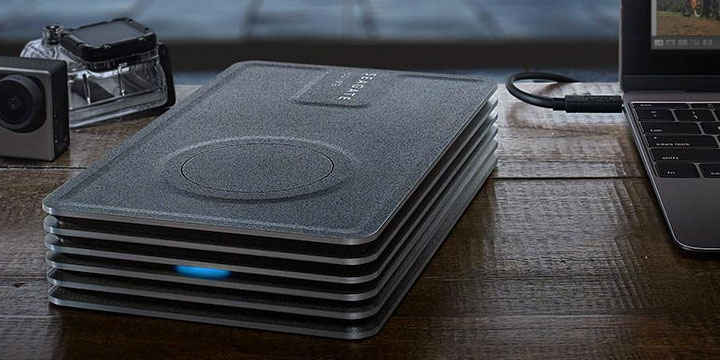
Note that the Seagate will only work with USB Type-C port as it is capable of delivering the extra juice needed to spin up the 8TB drive as well as to recharge the unit’s internal battery. The battery kicks in to satisfy the surge in power consumption in case the Innov8 requires more power than USB can come up with. If you don’t mind the 1.5kg carrying weight and have the latest USB-C notebook, the Innov8 is definitely worth checking out.
Drobo 5-bay USB-C
Drobo now offers USB-C version of its proprietary data redundancy solution. Interestingly, the latest model neither supports bus-powered operation nor offers laptop charging capability. Yet the whole point for a desktop external storage to upgrade to USB-C is to take advantages of USB Power Delivery – just like what LaCie did with their Porsche desktop drive.
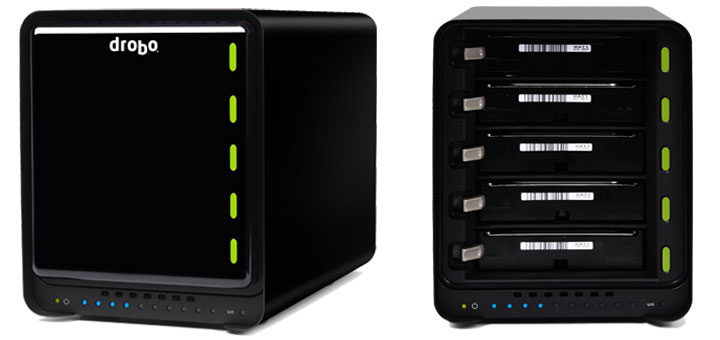
However, a closer look reveals the Drobo – now at its fourth generation – has received some noteworthy upgrades. It now has five SATA drive bays that handle up to 64TB of volume size, and can recover data even in an event of a dual hard drive failure. A built-in battery is also present to keep data in cache so data in transfer won’t be corrupted in case of an abrupt power outage. In spite of all these, Drobo’s $349 price tag (for an enclosure) might still be too hard to swallow for some of us.
LaCie x Christofle Designer Drive
LaCie has made quite the reputation for themselves by creating unique and aesthetically pleasing devices. Their latest collaborative effort is with Christofle of France and this time there is very little debate on if it is art or not – as it obviously is. It doesn’t matter if it is residing in a boardroom, a bedroom or even a dorm room, the LaCie Sphere will add a touch of old world elegance to any room; and that to us is the very definition of art.
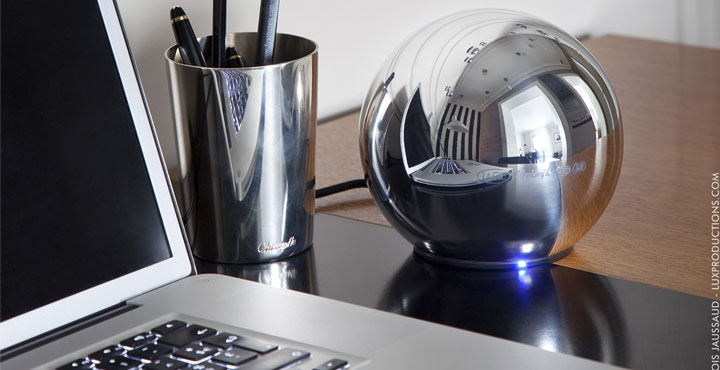
At its core, the Sphere is a 1TB USB 3.0 drive that comes disguised as a 1 lb. 5.3-inch silver plated sphere. While it is only silver plate covering a steel shell, the perfect curvature of this design requires handcrafting and manual silver plating that only masters of the craft can do. This is where Christofle’s world renowned silversmiths enter the equation as they take what could have been boring and turned it into a true piece of art. Those who dig this can probably their luck on eBay to bring this limited edition drive home.
Buffalo USB HDD Boasts DDR3 Cache
Ever since USB 3.0 has dominated DAS market, everyone is already enjoying faster connectivity but Buffalo is raising the bar with its latest DriveStation DDR. The aptly-named desktop external drive is joined by an unprecedented 1GB DDR3 RAM. So everything going in or out of the DriveStation will first get cached in the memory. The buffer greatly benefits small file transfers which are often associated with multiple handshakes, creating overheads that slow down throughput.
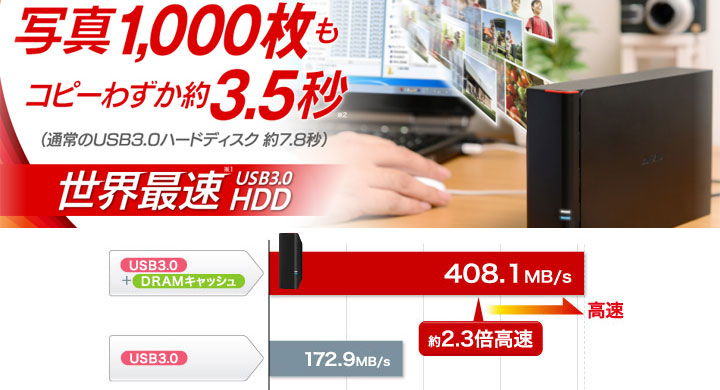
The massive cache integrated into the USB 3.0 bridge controller reportedly can lift the performance by as much as twofold. To put it into perspective, a typical USB 3.0 hard drive can manage 173MB/s compared to 408MB/s on the DriveStation DDR. This kind of trick, in real-world, does make a large difference in accessing a large number of small files since there’s now caching involved, but it actually won’t reduce the amount of time needed to write data on the disk. Backed by three years of warranty, the DriveStation DDR is available in 7200-rpm 3.5″ 2TB and 3TB for $140 and 155 respectively.
LaCie Blade Runner Drive
The LaCie’s Blade Runner – a limited edition hard drive – is reminiscent to a heat sink with a combination of aluminium fins that help to dissipate the heat. In this case, the blade-design serves the same purpose to passively cool down the 4TB drive that is encased in an oddly looking shell or an “anthropomorphic, liquid metal interior.”
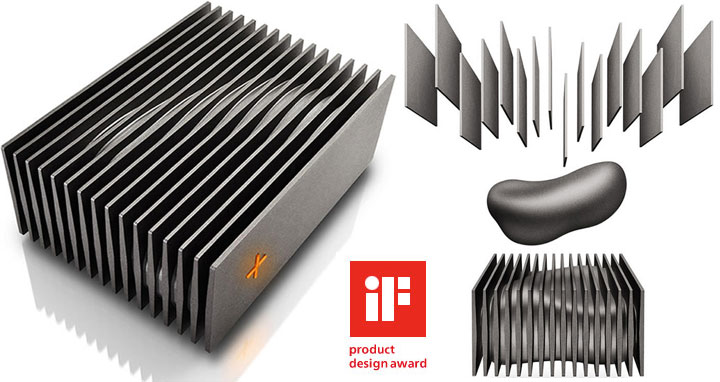
This design is reportedly inspired by Blade Runner – a class sci-fi movie from 1982. Starck’s signature cross symbol on the front also functions as a activity LED, indicating whether the drive is active (orange) or in eco mode (green). The LaCie’s USB 3.0 drive at 4.4 lb. does weigh twice as much as a regular commodity external drive. Only 9999 of these Blade Runner drives will be produced at surprisingly reasonable price at $299.99, given its limited edition status.
Apricorn Padlock Data Vault
With data theft on the rise, every company is at an increasing risk of losing critical business data. This is where data encryption comes in, and Apricorn has a simple yet a sophisticated storage solution to tackle this problem. Its Aegis Padlock DT drive employs an onboard keypad to unlock data on the drive via a PIN, which can be anywhere from 6 to 16 digits and you can enter up to 5 passkeys for different users. The encryption keys and PINs are never exposed to the host PC, and they are protected using SHA-256 hazing cryptographic algorithm.
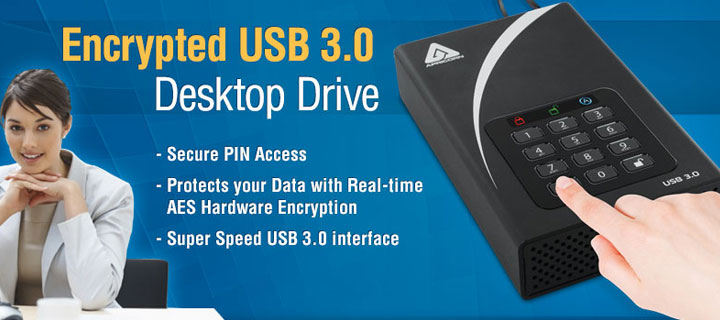
Data going in and out of the Padlock is encrypted and decrypted respectively using military grade FIPS-2 Level 2 validated AES-XT 256-bit hardware encryption. For additional protection, Apricorn installs brute force self-destruct mode as well as Variable Time Circuit (VTC) which thwart “timing attacks” that infiltrates Padlock’s electronics by studying user behavior.
Last not but least, the encryption circuitry is completely sealed by a tough epoxy compound that makes it impossible to remove without damaging the electronics. The drive works with no admin privilege and there’s no software to install so it’s as cross-platform friendly as it gets. The Aegis Padlock DT desktop drives retail for $239 (1TB) to $879 (10TB).
ioSafe Fireproof USB Drive
The SoloPRO from ioSafe is a giant disaster-proof external storage. Suffice to say, you can literally burn as well as drowning this drive, and the drive (inside) is guaranteed to keep on ticking. With an actual dimensions of 7.1″ x 11″ x 5″, shoebox-sized DAS also weighs in at 15 lbs. The reason the drive is so large is due to the fact that the chassis is made from thick steel with no plastic anywhere in sight.
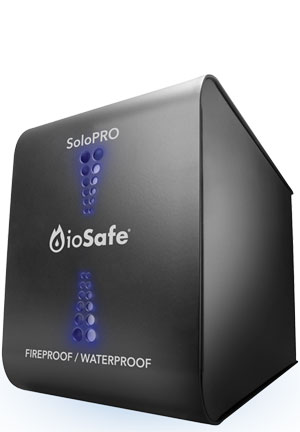
ioSafe advertises the SoloPRO as waterproof. While hard drive inside the enclosure is technically, but the USB SATA controller chip, the fan and basically everything else are not. This makes sense as only the hard drive is sealed against the elements. As for ioSafe’s fireproof claim, no doubt one shouldn’t expect anything to survive after being engulfed in fire for 30 minutes. Thanks to extracting the hard drive inside and plugging it into free SATA port on any motherboard shows that your data is safe and sound. This is certainly a tank that your precious data can live in and be safe under just about any terrible circumstance but you have to pay a premium for this ultimate data protection.
Flash Rods Delorean Time Machine
As any child of the 80’s will tell you, that decade was one weird and wonderful 10 years; filled with everything from Reaganomics and Goonies to ultra cool, but now defunct cars. The ultimate car to any 1980’s kid has to be the Delorean Motors Corporation DMC-12. To be precise, not just ANY DMC-12, but the Delorean from the Back to The Future movies! While there is very little you can do about Regan’s legacy, or trying to forget that you wanted to be a “Goonie”, there is something you can do about owning a piece of your past.
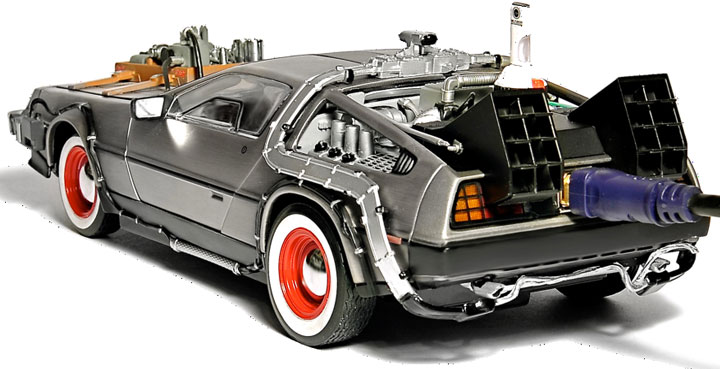
Namely, Flash Rods’s Delorean Time Machine not only is a 1:18 scale replica of that awesome time machine, but also is a working 500GB hard drive. Sadly, the company (the now-defunct) no longer makes them; isn’t USB 3.0 enabled; and doesn’t actually go 88 MPH, but it is sure to be the center piece of any hardcore Geek’s collection. After all, it may not be the fast storage device out there but it certainly is the coolest. Despite the fact Flash Rods has gone out of business, this drive deserves a place on our list.
So far, we’ve covered here drives that address the need for higher capacity, better security and more scalability as well as drives that are aesthetically pleasing as they are timeless. If you find some other USB storage solutions that should be listed here, please let us know in the comments below.