Time and again, reports of stolen or misplaced USB drives containing confidential personal information would make headlines. Such accidental data breaches by institutions and different government branches were compounded by shocking revelations that the files weren’t even encrypted. It’s baffling to see most decision-makers turn a blind eye to the importance of enforcing encryption especially when sensitive information is being moved between places on a regular basis with USB drives.
If getting security up and running is a daunting task, there are drives that combine ease of use with hardened data security. They should lessen the hassle of setting up and maintaining an encrypted drive. Additionally, the drives listed below are also scalable for multi-user scenarios. In our April 2026 update, we added Lexar TouchLock SSD to the list.
Contents
Lexar TouchLock Portable SSD
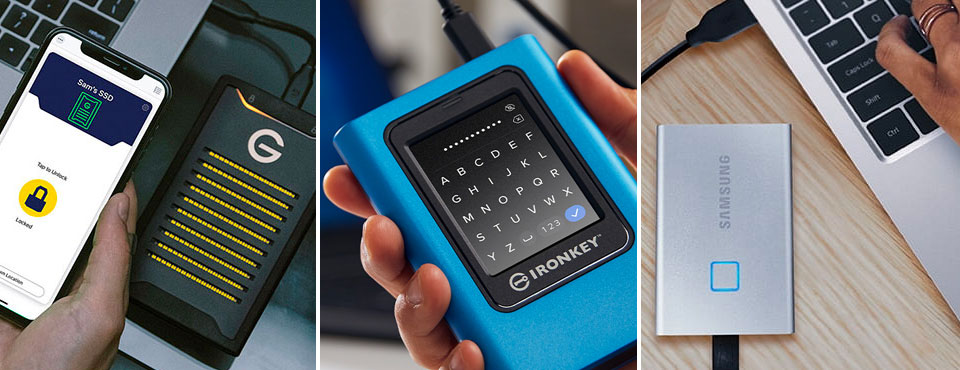
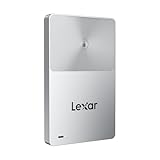
Lexar’s TouchLock Portable SSD brings a fresh approach to secure external storage, blending compact design with phone-based authentication. The standout security feature is NFC-based unlocking through the Lexar‘s mobile app – available in Android or iOS.

After an initial pairing process that generates a recovery key, the drive stays locked until the authorized phone taps it or is held nearby. Once unlocked, the SSD becomes visible as a regular USB drive to all desktop and mobile platforms; without the phone present, the drive remains invisible to the host system. This phone-as-key design eliminates the need for on-drive PINs or a fingerprint reader – the latter of which would add to the overall cost. As part of Lexar’s mobile app, an added bonus is the built-in backup function that backs up your local iOS photo library.
Measuring a slim 7mm and weighing just 40g, the TouchLock SSD is drop-resistant from 2m and slips easily into a pocket or clips magnetically to the back of a compatible iPhone via MagSafe. The drive’s USB 3.2 Gen 1 (5Gbps) interface lags behind performance of the competitors but it should suffice for photo and video backup; though, you might not want the drive to do too much heavy-lifting.
The TouchLock SSD offers 128-bit AES hardware encryption but Lexar isn‘t known for its security expertise so the drive could just be a rebranded OEM model. It’s worth noting Sandisk has something very similar called G-Drive ArmorLock SSD but the company has stopped updating its core app. Now, the app is going through a slow process of “digital decay.” As soon as the app breaks or loses compatibility with future iOS, you are left with a paperweight. While app-based security storage solutions are convenient, platform-agnostic authentication ensures your data remains accessible long after the manufacturer stops pushing app updates.
- Note: The hard drive will not be recognized if it is not unlocked. Please refer to the...
- Enable one-touch unlocking by using your mobile device as an NFC security authenticator
- Magnetic with a slim profile to attach to an iPhone and rated with 2-meter drop protection
Twopan Nano SSD
For most people, passwords have become a thing of the past with the widespread adoption of biometrics in mobile devices. Bio-authentication integrated into our USB drives seems like the next evolutionary step, offering convenience without sacrificing security.
That vision of seamless, biometric-secured storage comes to life with Twopan Nano SSD. Weighing just 5g and measuring a mere 20×13×5mm, this 512GB drive not only rivals the size of a mini USB drive, but also platform-agnostic fingerprint biosecurity. In other words, you don’t need any software install to initiate fingerprint authentications. Its IP65 rating also ensures the dust-tight drive can withstand drops from up to 10m and resists low-pressure water jets from any direction.
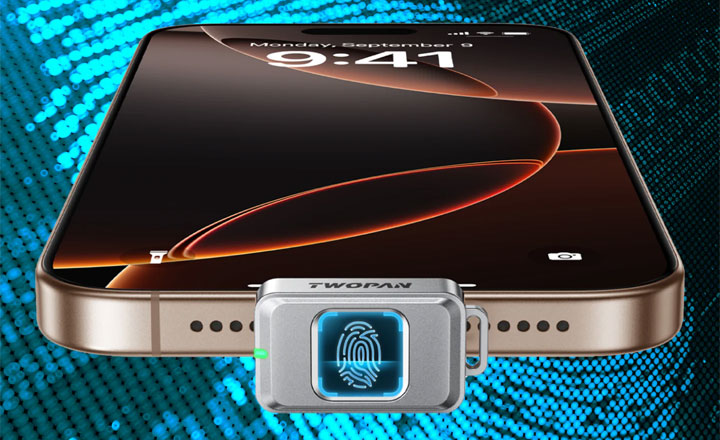
Incidentally, the Twopan Nano SSD is made for content creators who want to record 4K video from an iPhone 15 or 16 Pro directly onto the drive. Thanks to its low-profile design, the drive barely protrudes from an iPhone, making it easy to carry on a keychain and unobtrusive while recording. However, our reservations with the drive are the relatively slow USB 3.2 Gen 1 (5Gbps) connectivity, and the lack of details regarding its data encryption method.
- Fingerprint Security – Only You Can Unlock: Touch to unlock – only your registered prints...
- Ultra-Compact & Keychain-Ready: Smaller than a stick of gum and lighter than a quarter (just...
- Fast & Stable Transfers (450MB/s): USB-C 3.1 Gen1 gets the job done – quick backups, photo...
Kingston IronKey Vault Privacy 80 SSD
IronKey from Kingston has been known as a reliable, trustworthy brand for USB drives with enterprise-grade hardware encryption. Its software allows administrators to impose rigid security policies to protect sensitive data from being compromised in the event a user fails to adhere to established protocols.
Its security-hardened IronKey Vault Privacy 80 raises the bar further with a color touch-screen interface coupled with OS-independent onboard user authentication. This is by far considered the best defense against all sorts of keylogger malware as users never have to enter passwords on the PC to begin with.
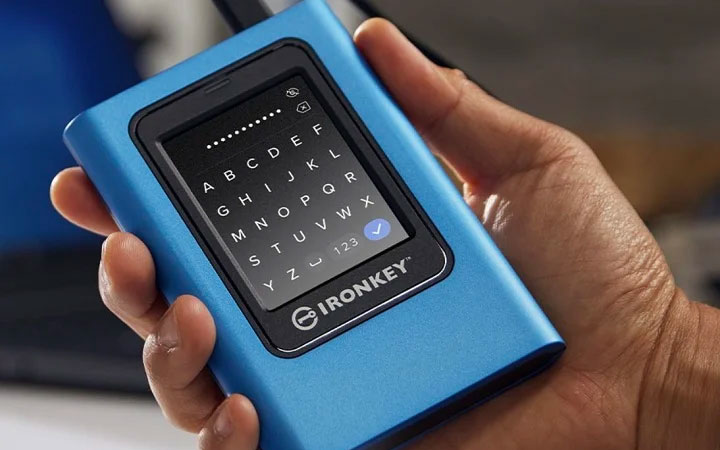
Passwords consisting of a minimum of six letters, numbers, space, or a combination of all three are accepted. Comparatively, some USB drives with a hardware keypad only accept PINs. The FIPS 197-certified drive is also said to be immune to BadUSB – a type of attack that targets and injects malicious codes into a drive’s firmware. Lastly, there’s a read-only mode to protect the drive from being written to it by malicious software on untrusted PCs.
The IronKey Vault Privacy 80 is a USB 3.2 Gen 1 SSD with a maximum capacity of up to 1920GB. Unfortunately, speed is rated for a mere 250MB/s – due to IronKey’s use of a SATA SSD and the encryption performance of the onboard hardware processor. Let’s hope next generation will adopt NVMe SSDs to better match today’s standards of performance.
Our only gripe with the virtual keypad drive is that if anything ever happens to the touchscreen, you will be left with a very expensive paperweight until Kingston repairs it. That is provided your unit is still covered by Kingston’s three-year warranty.

- FIPS 197 Certified with XTS-AES 256-bit Encryption
- Unique Intuitive Touch-screen
- Multi-Password (Admin/User) Option with PIN & Passphrase Modes

Kingston IronKey Vault Privacy 50
Being FIPS 197 certified, TAA compliant, Kingston IronKey Vault Privacy 50 is a security-first flash drive that comes with enterprise-grade data protection. It safeguards sensitive data from unauthorized access with XTS-AES 256-bit hardware encryption.
Its tamper-resistant design further defends against threats such as brute force attack, keystroke spoofing, and BadUSB. Last but not least, IronKey’s IPX8 rating ensures the drive can withstand continuous immersion in water up to 1.5m deep for up to 30 minutes.
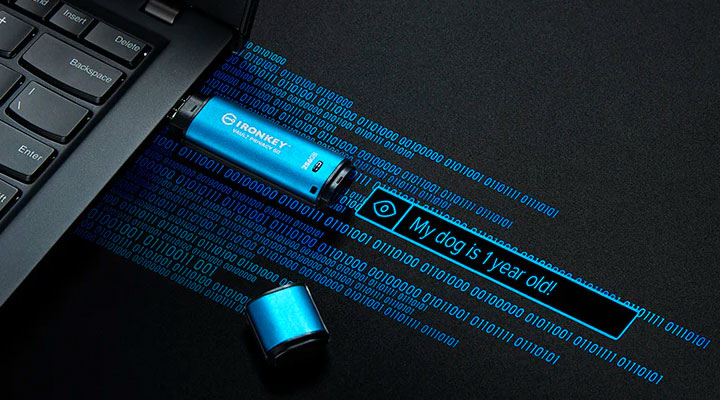
One notable feature first seen on a flash drive is the ability for users to create a passphrase of up to 64 characters. The increase in length alone makes passphrases much more difficult to crack than traditional passwords, which in the case of IronKey supports up to 16 characters.
On top of that, users can bring up the login manager’s virtual keyword to thwart malware from maliciously spying on users’ keystrokes. There’s also a master login to recover the data and to reset user password if needed. And added peace of mind, admins have the option to set the drive in read-only or write-protected mode to make sure data is safe from unauthorized modifications on untrusted PCs. Drive capacities are available ranging from 8 to 256GB. Kingston recently added a much-needed USB-C option to the IronKey Vault Privacy 50 series for those who have moved onto a completely USB-A free environment.

- FIPS 197 Certified with XTS-AES 256-bit Encryption
- Brute Force and BadUSB Attack Protection
- Multi-Password Option with Complex/Passphrase modes
Apricorn Aegis Secure Key 3NXC
Flash drives with onboard keypad authentication aren’t new, but Apricorn is serious about getting this right. Its USB-C flash drive – Aegis Secure Key 3NXC – is all about security. Everything from data on the drive to encryption keys is protected with hardware-based 256-bit AES XTS encryption utilizing the XTS block cipher mode. And under the hood, the drive facilitates authentications on battery power so the correct key sequence has to be entered before the drive will even show up as active hardware.
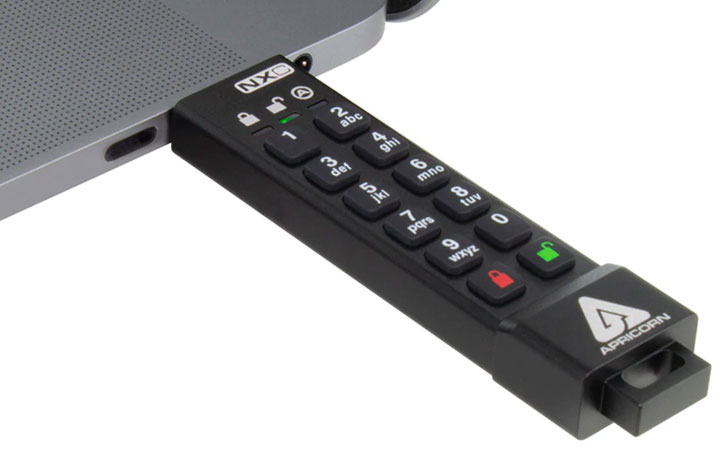
Its self-contained security essentially prevents any communication from the host computer to the drive until the PIN is physically entered. As a result, this removes the easy options for snoops. There’s no password to be sniffed via keyloggers and conventional means of brute force attacks on the drive won’t help. Ten incorrect attempts will wipe the cipher and the data is effectively lost. This should deter any means of sophisticated attacks that leverage the PC’s computing power to crack the drive’s password. Currently awaiting FIPS 140-2 Level 3 certification, IP68-certified Aegis Secure Key 3NXC is also completely impervious to dust ingress.
As a friendly reminder, if you ever notice keystrokes aren’t registering as well as they used to, that could be the first sign that keypad could eventually fail altogether. You may need to move your backup out of the drive and send the Aegis Secure Key 3NXC back for repair, provided it’s within the three-year warranty period.

- FIPS 140-2 Level 3 Validated
- 256-BIT AES-XTS Hardware Encryption
- USB 3.2 With Type C Connector. Power Supply: USB Port / Internal Battery
Samsung T7 Touch SSD
The Samsung T7 Touch is the fourth iteration of the company’s external solid-state drive line-up. Save for the Thunderbolt 3-powered X5 which packs an NVMe SSD, previous generations house an mSATA SSD – a limiting factor to performance. Now, the latest T7 also packs an NVMe SSD and it is coupled with a 10Gbps USB-C port to leverage the potential of Samsung’s 92-layer TLC V-NAND. Samsung proclaims the T7 has a top transfer speed of 1050MB/s, up from 540MB/s of the T5.
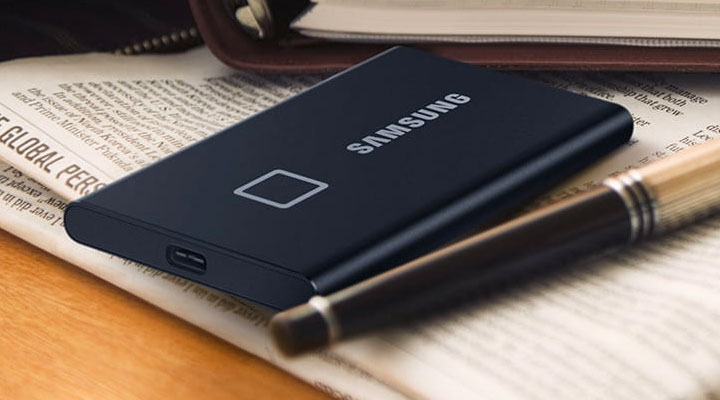
What further differentiates the Samsung T7 Touch from its siblings is the built-in capacitive fingerprint reader, complemented with cross-platform compatibility across PC, Mac and Android. (Though, you will need to install software on each device separately to access protected data on the T7.) The additional circuits also make the Samsung slightly larger than the last generation T5. Keep in mind the T7 hasn’t passed any FIPS certifications so its biometric security is likely meant for hiding personal data from prying eyes than safeguarding sensitive corporate secrets from resourceful hackers.

- FINGERPRINT SECURITY: SSD With Fingerprint And Password Security
- BLAZING FAST STORAGE: Reads Up To 1,050 Mb/S / Writes Up To 1 000 Mb/S. Transfers Files Nearly...
- LED STATUS INDICATOR: The T7 Touch Features An Led Square That Illuminates To Keep You Informed...