Drive Design
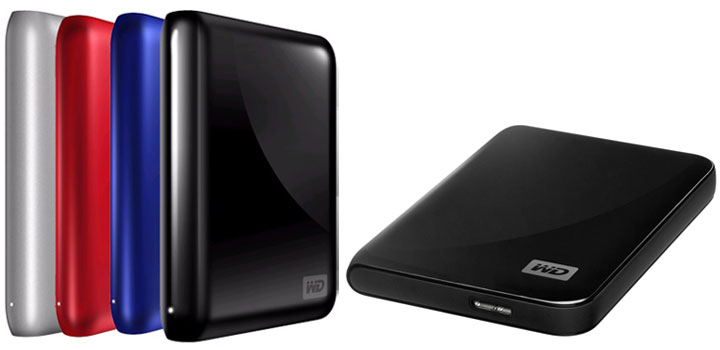
The WD My Passport has always been very stylish – yet surprisingly small – devices and the all new refreshed version of the Essential model is no exception. While it does come in many color options, mine was the silver and white version. To be blunt, this color scheme looks like a million bucks. Unless you knew it was made by Western Digital, you could easily be forgiven for thinking it was an Apple product. That is how stylish and sleek it is.

While this itty-bitty external drive is called a Passport, it reminds me more of an old fashioned mini-diary that certain groups would carry around with them. Though to be fair, you could also say it looks a like lot a miniature bible (especially if you get the black version). In any case, this 1TB drive will be easy to transport with its smooth, rounded edges and small compact stature. I am not exaggerating when I say there is literally no sharp edges nor any corners that will jam into you if you stick it in a pocket. It may not be as easy to transport as a flash drive, but it is going to be close with a hassle factor approaching zero.
While this ease of transportation is largely thanks to its almost organic and flowing design, its small size also deserves a lot of the credit. Even when compared to other external storage solutions of a similar capacity, the My Passport is smaller and more sleek looking. Some of this reduced size is due to the fact that its USB 3.0 port is built right into the housing. While it will work on USB 2.0, if a faster standard than USB 3.0 comes out, you will have to buy a new drive. This is a significant weakness when compared to the Seagate GoFlex Portable line, as their interchangeable interface system is completely modular. Honestly, USB 3.0 is fast and I doubt it is going to be replaced anytime soon; so while this is a bit disappointing it is certainly not a deal breaker.
The only other caveat worth pointing out is the lack of an on/off switch. In fact, with the exception of a small hole on the side where a LED light indicates drive activity, the only port on the drive is the USB 3.0 port. It is too bad that they did not include a power switch even though having a customizable time out / sleep timer is all well and fine. To be fair, very few USB-powered external hard drives include a power switch and this seems to be a more “industry standard” pet peeve of mine than a deal breaker. By the same token, it is an area where this refreshed design did not improve upon the original.
Software
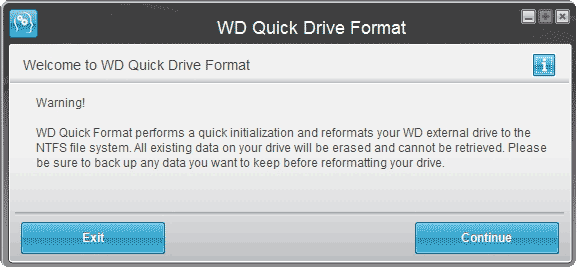
The software which accompanies this drive consists of two programs: WD Quick Format and WD SmartWare. The first is a very basic program which allows you to format your new drive properly. This really is not needed as formatting the drive is downright simple even for novices.
WD SmartWare, the second and more important software, is your typical all-in-one that combines both a backup suite and a device customization tool. While there is not much customization to be done, the inclusion of a built-in power saving sleep timer is nice. I say that as not all external media player appliances play nice with drives which see fit to shut off themselves whenever they feel like it. It’s also the first thing I look for and do with any new external drive.
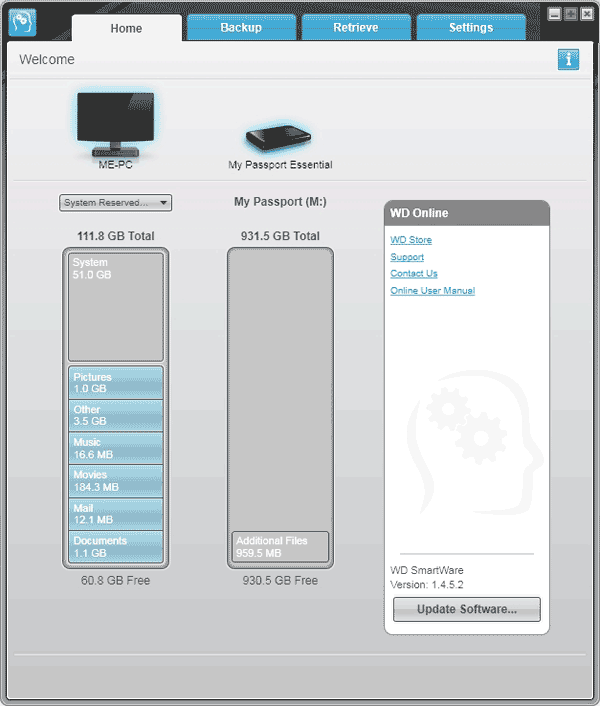
When it comes to the backup and restore functionality of the WD SmartWare, it will not win any converts from the likes of Acronis. To be honest, the GUI layout is easy to use and easy to understand, yet the functions are rudimentary at best. It will get the job done if all you want to do is backup (or restore) your documents, pictures or other such data. However, it will not be true backup solution as you cannot really use this to make an “image” of your hard drive. This means it will be good for restoring data, but it won’t help you in the case of a complete OS failure.
On the positive side, thanks to the on-board Initio encryption/decryption chip, you can use pretty beefy AES 256-bit hardware encryption on any data you do push to the drive. Just don’t forget your password or otherwise your data is for all intents and purposes G-O-N-E! Luckily, this option is set to off and you have to manually tell it to start encrypting your data. With this of level encryption your data is pretty safe if you do lose it while in transit.
Crystal DiskMark Benchmarks
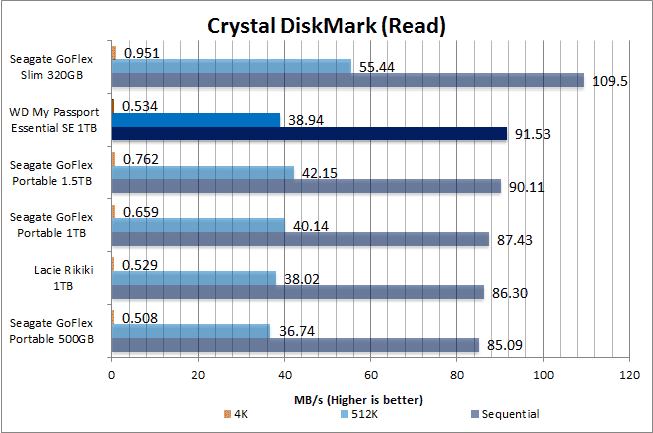
Now, I really can see where the 5200-rpm hard drive bottlenecks this devices. The Seagate GoFlex 1TB Portable uses a 5400rpm hard drive and if you look closely at the small file performance you can see that my 1TB My Passport lags behind all but the LaCie Rikiki (which houses a Hitachi hard drive). Thankfully, the sequential speed is much more decent. Considering most files you will be transferring to and from this device are of a large’ish nature, this small weakness is not a big deal. To my way of thinking, unless you plan on pushing gigabytes of small files (think 4KB) to and from it a tenth of second or less per file is not going to matter a hill of beans.

Real World Performance
As expected, the real world speeds just confirm the fact that this is a pretty decent performer. While it is not the fastest USB 3.0 1TB drive I have ever seen, it’s also not the slowest.


Recap
With its combination of an ultra small form factor, decent speeds and above average features, there is a lot to like about the newly revised My Passport SE USB 3.0. Sure, the software is on the basic end of the spectrum but it will get the job done. To be honest, the only issue I have with this is the fact that is relies on a less than optimal 5200-rpm hard drive. Hopefully, in the not too distant future, Western Digital will upgrade their Passport Elite line which will rectify this yearning for high speed, large capacity external storage I have. In the mean time, this itty-bitty has found a place in my heart and I will probably never part with it. It’s just too easy to carry that there is very little need for a flash drive when I have one of these.