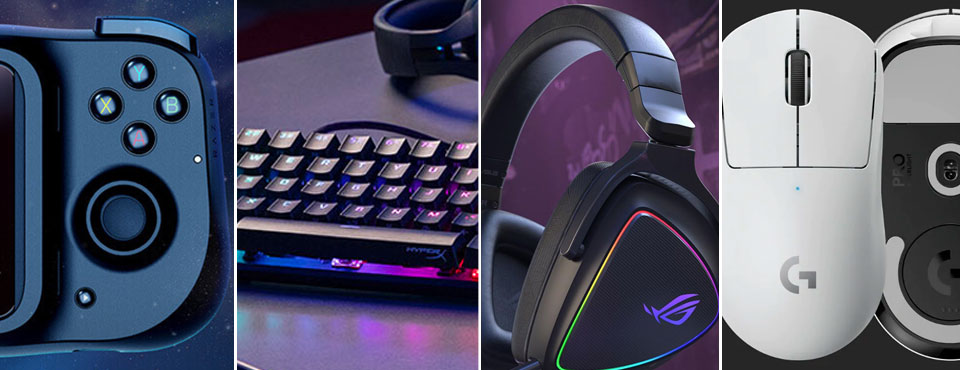
For those who are particularly picky about getting the most out of their gaming experience, these are some of the most hardcore (and offbeat) gaming peripherals tailor-made for this purpose.
Logitech G Pro X Superlight Mouse
Perhaps the lightest gaming mouse ever with wireless connectivity
Logitech’s G Pro Wireless has been the de facto gaming mouse for those who don’t want to be tethered to a cable during hours-long gaming sessions. Two years have passed since its debut, and Logitech has followed up with a successor that intends to surpass its predecessor.
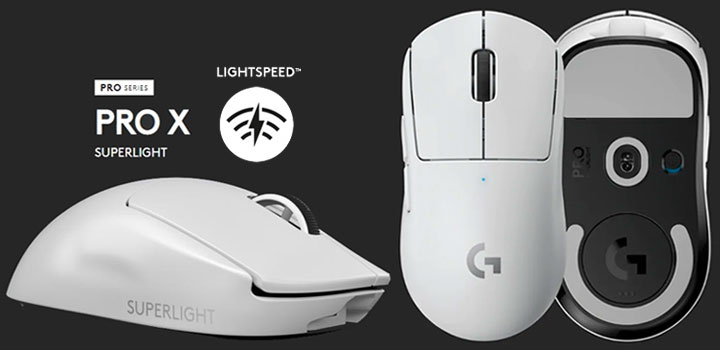
The main focus of the G Pro X Superlight, as the name suggests, is on its featherweight construction. The mouse now weighs a mere 63g, compared to 80g for the last generation. This actually comes at a cost. Logitech has to shed weight by taking out the DPI control button, RGB lighting, and the side buttons on the right. The Superlight, therefore, is no longer ambidextrous, favoring again right-handed gamers. There’s also an option to remove the cover of the LightSpeed receiver compartment should you need to further lower the weight of the mouse. Lastly, to reduce the friction associated with intense gameplay, Logitech opted for zero-additive PTFE feet.
The Superlight with Logitech’s HERO sensor (max. 25600 DPI) is rated for 70 hours of “constant motion” battery life before it needs to be recharged over micro-USB. The minimalist five-button mouse doesn’t feature a fancy shape that you would find on an MMO gaming mouse. Logitech wants to keep it simple based on users’ feedback.

- Meticulously designed in collaboration with many of the world’s leading esports pros...
- Ultra-lightweight at under 63 grams, with hyper-minimal redesign achieving nearly 25% weight...
- Powered by Lightspeed, PRO X Superlight is our fastest and most reliable PRO mouse yet
Asus ROG Delta S Headset
Eye-catching gaming headset with top-of-the-line DAC and true multi-platform compatibility
As far as gaming headsets go, Asus ROG Delta S is definitely in the high-end spectrum. At the core of this pair of oversized cans is ESS Sabre 9281 PRO DAC with Master Quality Authenticated (MQA) renderer. This makes the Asus more than just a gaming headset as audiophiles will immediately recognize the significance of MQA in the hi-res music streaming arena.
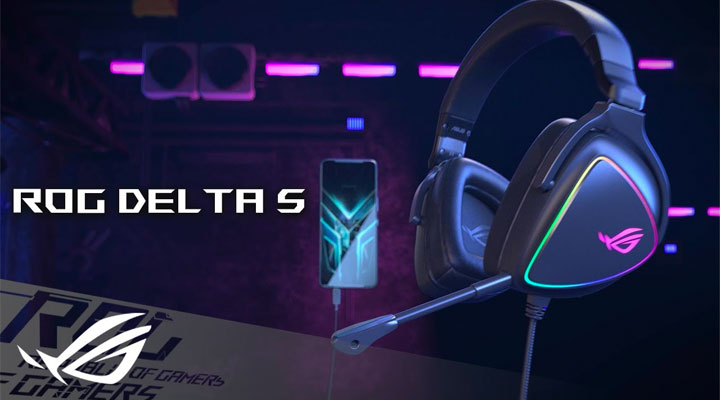
The ROG Delta S is paired with 50mm neodymium drivers that inherently deliver a large soundstage. Its signature D-shaped ear cups are also specifically designed for ergonomics to match the shape of human ears to minimize fatigue during hours-long gaming sessions. In addition, Asus has bundled both leatherette and fabric mesh interchangeable ear cushions depending on the level of breathability and sound isolation you need.
No gaming headset wouldn’t be complete without a good microphone. The ROG Delta S is no different. Its removable unidirectional microphone – certified for Teamspeak and Discord – comes with its own A.I. processor to suppress a variety of ambient noises in order to keep your voice audible and clear for your teammates. If you need customizations as everyone would, Asus’ Armoury Crate software controls the headset’s backlighting, and provides a host of settings, including virtual surround sound, equalizers, RGB lighting, etc.
Lastly, as a USB-C headset, the ROG Delta S has what it needs to be cross-platform friendly for gaming laptops, Android smartphones and PlayStation 5 as well as Nintendo Switch.
- HEADSET FOR CLEAR, DETAILED AUDIO - ASUS ROG Delta S Gaming Headphones feature high-resolution...
- Ai NOISE-CANCELLING MICROPHONE - The unidirectional, detachable mic is designed to reduce over...
- FPS GAMING ACE - The ROG Delta S can achieve an extraordinary SNR of 130 dB, a level untouched...
Kingston HyperX Alloy Origins 60 Keyboard
Pint-sized USB-C gaming keyboard with semi-quiet keystrokes and RGB lighting
Kingston’s HyperX Alloy Origins 60 (quite a mouthful) is the company’s first 60% mechanical keyboard. Being a 60%, it has the most minimalist QWERTY keyboard layout as you won’t find function keys, numpad nor navigational keys. This makes the Alloy Origins 60 – measuring at just 296 by 106mm – an ideal gaming keyboard for those with little desktop space to spare.
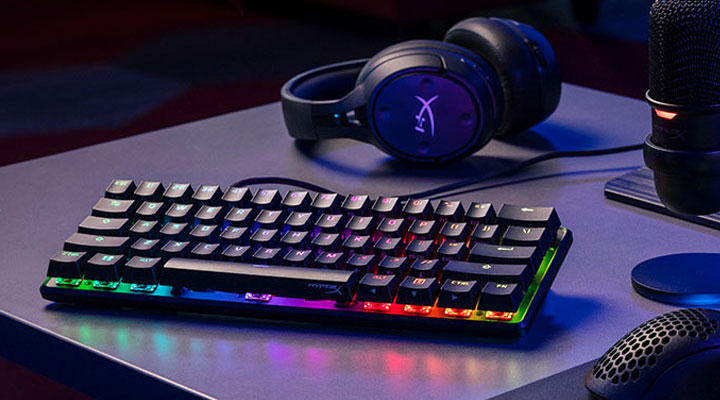
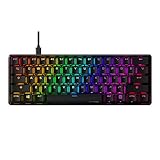
Kingston’s mechanical keyboard itself comes with in-house Red linear mechanical switches. You get a relatively quiet keyboard without disruptive audible feedback associated with HyperX’s Aqua and Blue. Compared to Cherry MX Red, HyperX’s version gives slightly less travel distance at 3.8mm, and at the same time, is rated for 80 million keystrokes. HyperX Alloy Origins 60 sports an aircraft-grade aluminum body which should add greatly to its longevity. The exposed LEDs on key switches – controlled via Ngenuity software – also give off a spectacular display of their RGB lighting effects.
- [Petite 60% form factor]: Free up more room for your mouse with this supremely compact...
- [Full aircraft-grade aluminum body]: The aluminum casing keeps the keyboard structurally sound...
- [Double shot PBT keycaps with side printing]: The keycaps are designed with durable PBT...
Seagate FireCuda Gaming SSD
A really fast external SSD drive to carry games on the go
Visually impressive triple-A games, including the likes of Forza Horizon 5, Red Dead Redemption 2, and Final Fantasy VII Remake, weigh in at between 100GB and 150GB. Internal capacity could easily fill up in a matter of hours with a couple of these games installed. Moving these games to an external drive ensures your system drive has room to breathe – particularly so for laptop gamers often with limited options to upgrade their PC’s internal storage.
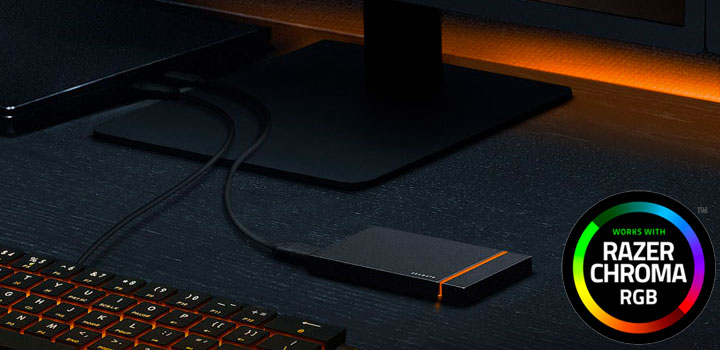
The Seagate FireCuda Gaming SSD more than qualifies as external storage for gamers primarily because of its performance and equally important, RGB lighting. The drive is rated speeds up to 2000MB/s over USB 3.2 Gen 2×2 (a.k.a. SuperSpeed USB 20Gbps). If you are a gamer who frequently upgrades your rig, then you might have at least one 20Gbps USB-C port. Otherwise, the drive’s fallback mode is USB Gen 2×1 (10Gbps) as Gen 2×2 ports are still a novelty for many.
RGB lighting feature is ubiquitous in the world of PC peripherals – especially ones for hardcore gamers. It isn’t a surprise that the Seagate also sees the lure of RGB and joins the rainbow light show with its FireCuda. As with other full RGB keyboards, headsets, and mice, this drive has a toolkit that lets you customize LED settings from colors to effects (i.e. solid, breathe, flash, spectrum wave). It is also fully compatible with Razer Chroma software for those who already own a collection of Razer’s RGB-enabled devices.

- Experience high-speed, no-lag PC gaming with an external portable USB-C drive harnessing fierce...
- Store a massive library of games and content with up to 1TB of capacity
- The ideal solution for a PC or laptop SSD, FireCuda Gaming SSD includes customizable RGB LED...
Razer Kishi Gamepad
USB-C gamepad dedicated to bring console-level controls to Andorid mobile gaming
In foreseeable future, we might see ourselves spending more time playing blockbuster games on mobile devices through various cloud services. A dedicated game controller will undoubtedly become a necessity as its physical directional controls and buttons inherently provide far more accuracy than its onscreen counterparts. To ease the transition, Razer has something in store for gamers who are ready to make the switch from console to mobile.
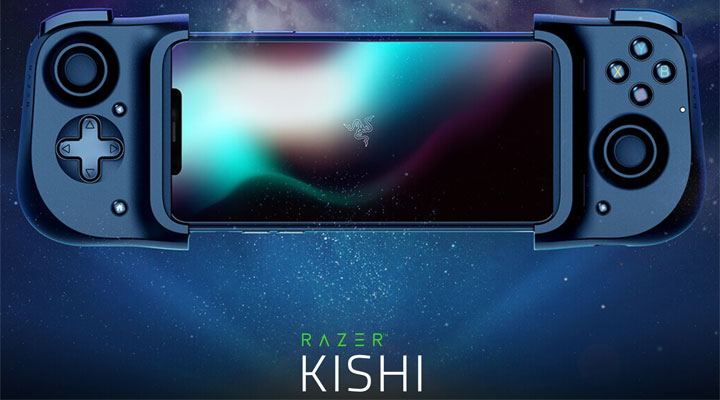
Razer’s new mobile gamepad – dubbed the Kishi – is designed to fit the majority of Android smartphones in that its belt mechanism can stretch to accommodate different screen sizes. The Kishi also conveniently docks with a smartphone using the now-ubiquitous USB-C so you don’t have to worry about Bluetooth pairing and battery recharging as well as latency associated with a wireless connection. Moreover, there’s also a power passthrough to keep recharging your smartphone when Kishi occupies your phone’s USB-C port.
The gamepad itself inherits a typical console controller layout with a directional pad, a pair of clickable analog thumbsticks, and four thoughtfully positioned buttons as well as triggers. Whether or not the Kishi will lend to an enjoyable experience remains to be seen as Razer hasn’t shipped the controller due to logistical complications surrounding coronavirus.

- Universal Mobile Gaming Controller: Designed to bring console-level control to your phone for...
- Cloud and Mobile Gaming: Compatible with leading cloud gaming services including Xbox Game Pass...
- Refine Your Aim and Execution: Clickable analog thumbsticks provide greater accuracy and...
Tobii Eye Tracker 5
Accurate eye and head tracking provide additional gaming controls when mouse and keyboard aren’t enough
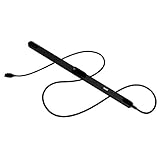
Tobii Eye Tracker 5 is a standalone unit that captures your eye and head movement and translates into highly accurate coordinate data for game interactions. This is all done with some illuminators in front of the tracker that reflect near-infrared light off your retinas. Essentially speaking, this nifty sensor bar – designed to be mounted below a monitor – is a supplemental PC gaming input that adds a new layer of immersion to your favorite games.
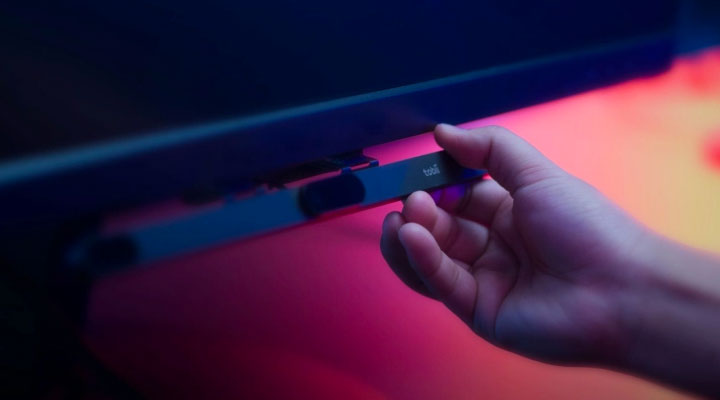
As the successor of the 4C, the Eye Tracker 5 now puts even more emphasis on PC gaming as its killer application. First and foremost, Tobii has further boosted the performance of the onboard processor so that it handles the eye-tracking load more efficiently to minimize penalty on game performance. The new sensor bar can now track at 133Hz frequency, 40 percent more than its predecessor. Its field of view has been upped to 40 x 40 degrees. Head tracking also benefits from a new algorithm to ensure a more accurate head movement capture. Last but not least is a new flex mount to be used on even curved screens. If you want to experiment with head and eye-tracking capabilities on PC games (supported list), the Tobii is the only way to go.
- WORKS IN ALL LIGHT CONDITIONS - Our eye and head tracking technology makes your favorite games...
- HEAD AND EYE TRACKING IN ONE DEVICE - Tobii Eye Tracker 5 tracks both head and eye movements...
- 170+ ENHANCED GAMES - Celebrated by players for bringing game changing features to Star...
Razer Hydra 3D Motion Controller
This is sorta a Wii remote except it’s for FPS on a PC
If you are like many PC gamers, you probably have been tempted to buy a Wii or a Kinect so you can interact with your games in a whole new way. It seems Razer in partnership with Sixense has brought something like Wii controller to the PC gaming market with the new Hydra. Much like those console-based 3D motion tracking controllers, the Hydra allows you to really interact with your games in a whole new way.
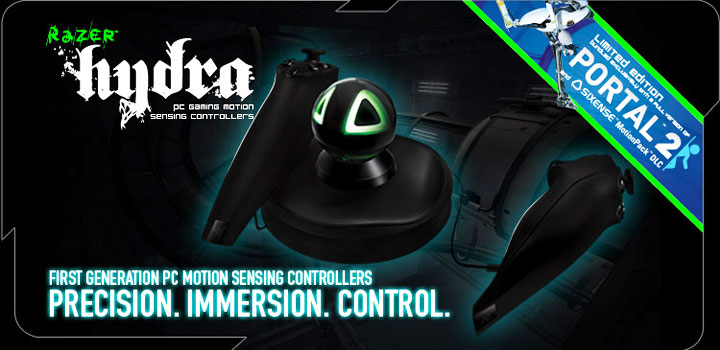
With that being said this is not some Wii clone as this bad boy is reported to be eons more precise thanks to its magnetic motion sensing technology so you won’t be flailing around like a goofball (or at least that is how we felt when playing with our Wii… before we sold it). The Hydra is compatible with 125 titles including Portal 2, Call of Duty: Black Ops, Left 4 Dead 2, Bulletstorm and etc. This means it is no one-hit-wonder and should become even more prevalent as time goes by.
While its reported precision and robust list of compatible games are impressive, what’s really awesome is the fact Razer states it is going to be a lag-free, ultra-low latency device. This should hopefully translate into that “edge” all gamers are looking to get on their competition. The expected release date is May of this year and will be available in a standalone (which includes two controllers and a base station) and a combo version which will ship with a limited edition Portal 2 (with extra content specifically for the Hydra).

- Thumb-ergonomic analog stick for fluid control
- 4 Hyperesponse action buttons
- Rapid-fire trigger and bumper for faster in-game response
That’s all for now. If you happen to stumble upon any offbeat yet cool PC gaming controllers that aren’t listed here, you are more than welcome to tell us in the comments below.