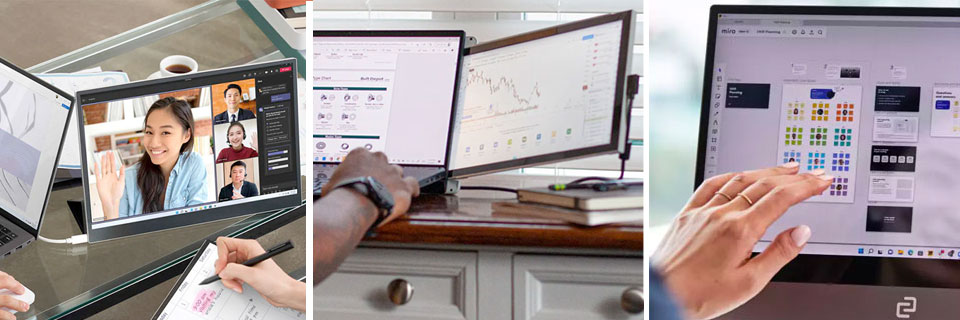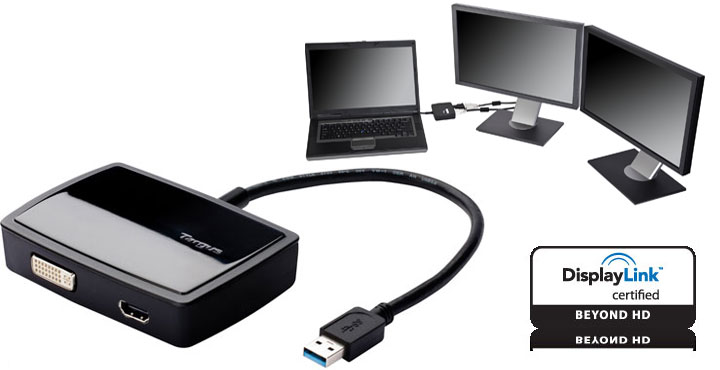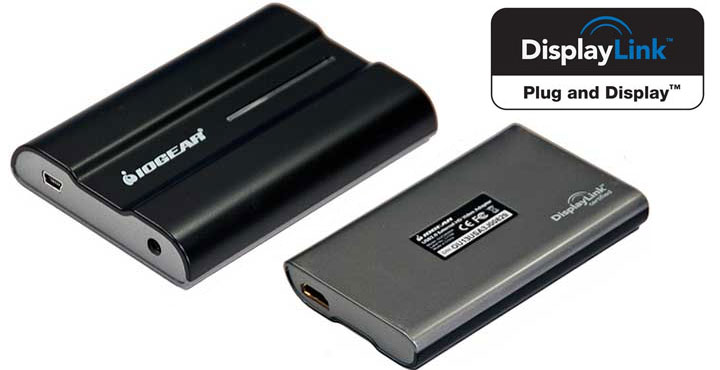
For a small but very important portion of the consumer marketplace, the need for multiple monitors on their systems is a must-have option. This is why something like the USB video cards exists in the first place. A long while ago, there was a VGA version of this adapter powered by DisplayLink’s older video core. Today, the IOGEAR USB HD Video Adapter – the new and improved version which boasts 1080p, 32-bit color depth resolution – will be tested to see if there is any noticeable improvement given the USB 2.0’s limited bandwidth.
Multi-monitor Setup & Productivity
No matter how big a monitor you are using there is still only so much information that can be displayed on it at any one time. This is for the simple fact that multi-tasking is second nature to many professionals and having a full-size window for Macromedia Dreamweaver, another for Adobe Photoshop and a third for miscellaneous things is just impossible on one big screen. With a properly setup 3 monitor system, the amount of work you can get done in a single day is simply astounding.
This is a secret that many professionals learn early on in their careers. While this works great on any desktop PC, there isn’t any way to add a third monitor on a laptop. While most notebooks either come with HDMI or DisplayPort but getting that force multiplier third monitor is near impossible. This is where the USB video adapter comes in.
After all, my laptop has multiple USB ports, and even when you add in a keyboard and mouse there is always a free USB port, but there is never a free video port! It is for this reason I was so excited when the new and improved adapter crossed my desk. I had used previous models in the past and while they get you out of a jam, their lackluster maximum resolution of 1680 x 1050 and less than sterling output options left a lot to be desired. Large screen monitors have gotten downright dirt cheap, yet using any monitor at anything besides its native resolution is a recipe for failure (or at least headache) when you need to get work done.
The fact IOGEAR took the time to rectify this issue and make their new version 1080p capable is very impressive to say the least. While 1920 x 1080 is a good start, I really wish they had gone for the real gold standard of 1920 x 1200. I say this as while A 16:9 monitor is good for working on, a 16:10 monitor is better; however, I can live with using three high definition 16:9 monitors if the only other option is using only two monitors. To be fair this is more a limitation of DisplayLink DL-165 than this device, maybe at some future point, IOGEAR will opt for the DL-195 which supports 1920 x 1200 (2048 x 1152 wide).
I was also very impressed when I realized it no longer relied on a VGA out, but rather has HDMI. HDMI really is the de facto standard for large resolution monitors and more to the point digital connections are always preferable to analog. It is a shame that IOGEAR did not also upgrade this HD version to USB 3.0, as that larger bus really would have given this device a lot more freedom when it comes to bit-rate. With that being said, USB 2.0 is still ubiquitous and the same can not be said of USB 3.0. It wouldn’t make much sense to make it compatible with darn near any modern monitor, while at the same time making it incompatible with most laptops. Hopefully, the next generation will be USB 3.0 enabled, as by that time SuperSpeed USB should be standard on darn near all laptops.
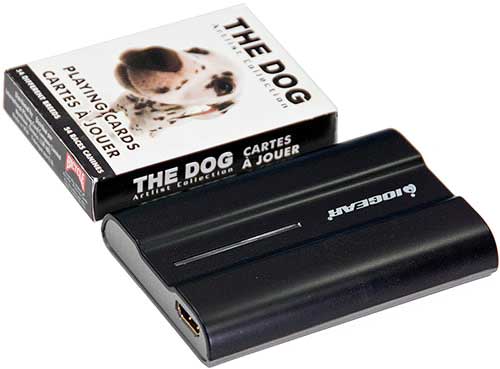
While the all-new HD video adapter has gotten a beefy upgrade in the resolution department and the output department, the same can not be said about its overall dimensions. This USB display adapter is still darn small with dimensions not that much bigger than a pack of cards or a pack of cigarettes. It really is tiny yet packed with power. I was also happy to see that IOGEAR added a touch of pizzazz to this model; unlike the previous version which looked like a small bland box, this new model has a more rounded and almost organic look and feel to it.
Video Performance
For any USB display adapter to be truly considered successful, it has to do everything a typical video card can do and do them all with equal ease. First and foremost, it has to be able to handle mundane day-to-day tasks such as word processing, spreadsheets, and similar office / workplace-related tasks. This is the bare minimum it should be able to do. If it cannot handle almost static-like images, it is going to be a most unfeasible solution for darn near anyone. With the prevalence of multimedia content, it also has to be able to handle Flash and similar multimedia content as well as handle programs such as Photoshop. This too is non-negotiable. The last thing it should be able to do is to handle movies and games. This last bit is not a necessity but is a very nice bonus feature. Considering this particular device boasts 1080p support, I truly hope it can handle both the ordinary and extraordinary tasks we have in store for it.
Office and Workplace Related Tasks
When it comes to using the IOGEAR and a second monitor for typical day-to-day tasks you will not notice any difference between having the monitor connected via your graphics card or connect to the IOGEAR and USB port. This review was written up using a second 1920 x 1080 monitor connected to the IOGEAR and not once did I notice any mouse lag or other tale-tale issue that the video signal was coming not from a GPU but from an external USB device. The same can be said of Excel with extra-long spreadsheets or Firefox and long websites. There was no noticeable delay in scrolling down through them and there certainly was no pixalation or other video-related errors which would give away the fact that the video stream was coming through a much smaller 60MB/s bus (i.e. USB 2.0). If all you need an additional monitor for day-to-day tasks, then you will be perfectly content with this device.
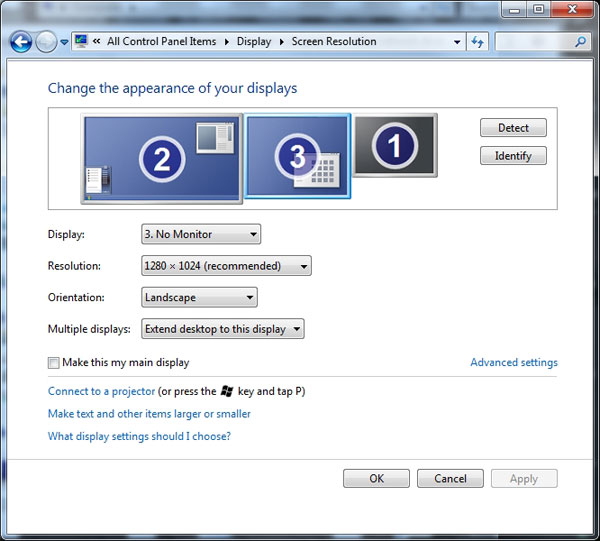
With that being said, after installing the IOGEAR for the first time on my laptop, I did have to reboot as otherwise, the screen would blink on and off at random intervals while trying to use it. Luckily, once I did reboot, this issue disappeared and never returned. Also worth pointing out is even when you are actually using the IOGEAR and a second monitor, Windows will not be able to recognize what monitor you have attached (and thus properly default to the right resolution). It will display “no monitor” in the drop-down box and use 1920 x 1080 for its default resolution. Luckily, this is not a problem as you can manually setup the resolution and colour depth like you normally would if the monitor was directly attached to a “normal” graphics processing device. The reason for this strange behaviour is because the IOGEAR adapter simply will not pass along the monitor data to the system, but the IOGEAR itself is being recognized as a monitor by Windows.
The other issue worth pointing out is where this is a software-based solution, you can forget about using hardware acceleration in Photoshop and the like on your second monitor. This really is neither here nor there, as even with it on Photoshop is not exactly a fast handling application on most (dual-core) laptops! I personally use either SSDs or Seagate Hybrid drives, so the difference in speed was negligible. If you are using a more mundane “C” drive then this lack of acceleration may be noticeable. If this is the case, I still would not consider it a deal-breaker. The benefits of having a second monitor simply outweigh any minor negatives such as this.
Multimedia Performance
When it comes to Internet-based media such as YouTube (flash video) and YouTube HD (MP4 video), things were not quite as rosy as they were office-related tasks. While the IOGEAR video adapter can and does support everything from OpenGL to DirectX under Windows 7 (though some are only supported in windowed mode); and while the video played flawlessly in both regular standard definition and 720p definition on all the videos I watched, my mouse did exhibit some noticeable lag while doing all this. This was most prevalent when trying to watch 720p YouTube HD video as the cursor would sometimes “think” about responding to my mouse movement and then after a second or so actually do it. If I paused the video, the cursor would instantly go back to being its normal responsive self.

While this is a less than optimal showing for the IOGEAR, it is understandable as even 720p is a lot of data to push across a shared USB 2.0 bus. If you use more than just a mouse on your USB ports, expect things to get even worse. By the same token while the mouse may have gotten slower the videos themselves did not. To my way of thinking this is a good thing. When you are watching a YouTube video you’d rather have a less than responsive mouse and smooth video, rather than a smooth mouse and slow as tar video!
Movie & Game Performance
Let me just start by saying that you will not be able to use this device to get your high-definition game on. Don’t even bother, as it will be an exercise in frustration and futility. This device is not meant for gaming and simply can not handle the demands modern games place on a graphics processing unit. I doubt even USB 3.0 will be a wide enough bus to handle modern gaming via external monitors, but at least it would be a step in the right direction. Sadly, even older games are not possible with this device, thanks in no small part to the input lag which first cropped up while watching a YouTube video. 1920 x 1080 is a lot of data to push across an itty-bitty bus like USB 2.0 and while you may get better than slide-show / power point presentation levels of frames per second, you will not get anything remotely close to a normal response to your keyboard or mouse input commands.

Movies also are a bit of a mixed bag. While both the standard Windows 7 Media Player and open-source VLC media player worked perfectly, the same can not be said of Media Player Classic (both 32- and 64-bit versions). This means that if you like to do complex video up-converting of standard-definition video to high definition video via FFDShow + Media Player Classic, you will not be able to do so using the IOGEAR adapter. Every time I tried this combination, Media Player Classic would crash. This is a limitation of the DisplayLink software and not this product, so hopefully much like DisplayLink fixed OpenGL and similar incompatibility issues this too will be fixed. I personally wouldn’t hold out much hope, but you never can tell. Overall, when it comes to games, this display adapter is not a success, but considering the fact it is never intended to be used as a gaming device I can not hold it against it. It would be like hating a Suzuki Hayabusa motorcycle because it cannot actually fly.
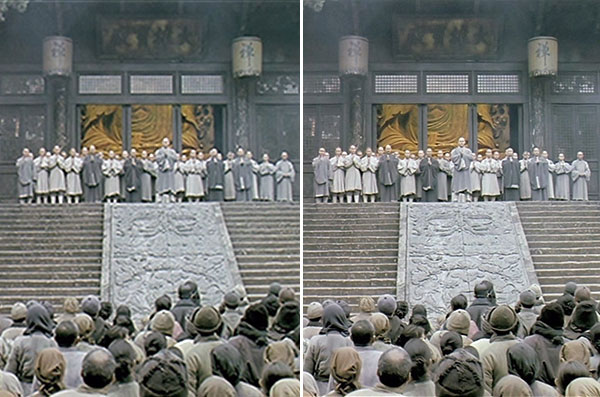
Unfortunately, when watching high definition video over the IOGEAR, the video did suffer from some major bit-rate degradation. The easiest way I can describe it is to say that it looked more like first-generation up-converted DVD video (think first gen Oppo DVD up-converting devices) rather than “true” High Definition. This is not a deal-breaker as the end result is still much nicer than trying to watch 480p on a 1080p screen, but the resulting picture does not even come close to having the level of details it should. In scenes where the background had lots of nuanced detail, a lot of those details were lost. Even people lacked the clarity that we all have come to expect from Blu-ray quality media. With that being said unless you are sitting right next to the screen you probably will notice a drastic difference in the detail levels unless you really look for it. This is for the simple fact that a 24″ screen at a couple of feet is just too darn small for most people to be able to pick out high-definition detail! For this reason, I don’t consider this an instant deal-breaker; rather it is an issue you have to make your own decision on based on your own unique set of circumstances.
On the positive side, while movies were not quite as fluid as they should have been, it was darn close in most instances. For the most part, unless you were looking for dropped frames, you probably would not notice the difference a couple of frames per second will make. With that being said, it was not 24fps and was usually in the 22 range. Another caveat that needs to be addressed is audio. When you use the IOGEAR adapter, Windows will default to pushing the audio signal out over the HDMI cable. This is all well and fine if you want your audio to come from the monitor itself, but it is less than optimal if you have packed along better speakers to use. This goes double for monitors which do not come with speakers as Windows still thinks it has an audio device to push the audio out over! Luckily, this can easily be changed in your defaults; thus it too is not a deal-breaker.
Recap
When all is said and done I really think the new IOGEAR HD USB video adapter is a winner. It may not be great at complex tasks such as gaming and it may not be great for even movie watching; what it is, however, is great for getting a second or third monitor connected to your computer. The intended niche of this device is road warriors and office-type environments where it has to mainly handle Microsoft office-related tasks such as Word and Powerpoint presentations; with the odd video thrown in. In this arena, the IOGEAR is a winner.
Nothing stinks worse than not having the capability of adding a second monitor to your rig, but having to use anything besides the native resolution of your monitor is a darn close second! Since it can handle 1080p monitors and output non-motion-intensive images to these monitors, this IOGEAR is light years better than its predecessor. It may not be right for all situations and it may not even be right for you; but if you know exactly what its design parameters are and fall within them, you will be more than happy with the IOGEAR adapter and its abilities.
[ico type=”icon-shopping-cart”] Other USB Graphics Adapters
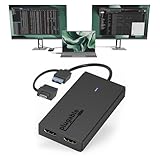


Pricing is last updated by Amazon on 2026-09-15 at 10:34. When you buy through Amazon affiliate links on our site, we may earn an affiliate commission.