PC gaming has had a bit of a mixed history with initial gaming input starting at game pads, moving to keyboards, then to mice, then back to game pads and finally back to both keyboard and mouse combinations. Today I explore Logitech’s answer to all of my gaming dilemmas with a dedicated gameboard that can tie all these inputs together into one neat, gamer focused package and hopefully enable you to score beyond your normal ability. Read on for my full Logitech G13 gameboard review.
Keypad Layout & Design
Unwrapped and positioned in your left hand, the G13 fits like a glove. The size is just right for the average joe but may not be a perfect fit for people with larger than average hands and will completely fail to fit left handed people.
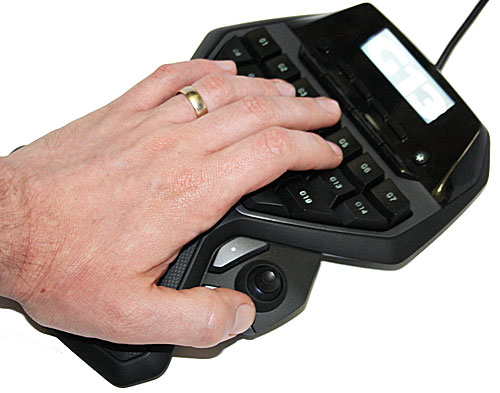
Fortunately for me, I am about as average as they come so the G13 felt quite comfortable once my hands rested on its smoothly curved out shape. The palm rest is positioned perfectly to help reduce any additional strain from extended gaming use and while the keys are spread over a large surface area on the G13, they are mostly within easy reach without displacing your entire hand. The palm rest is also made from fabric and not some plastic leather derivative which is very comfortable and cool to the touch.
The G13 connects via USB interface to your desktop or notebook and only requires one free USB port to operate fully. No additional AC/DC adapter is included or needed and the entire unit functions off the power supplied via the USB. Beware, the G13 will not work when plugged into the integrated USB hub in Logitech G15 keyboards due to power requirements.
Logitech supplies a software / driver CD with the unit and also includes a quick-start guide to help quickly connect the unit to your computer without any additional hassle.
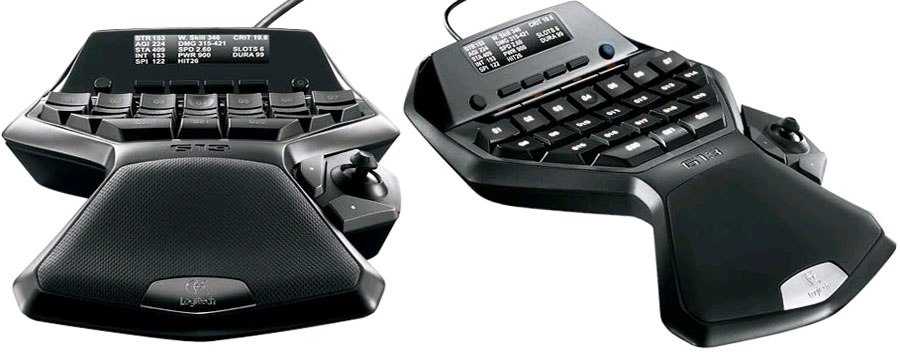
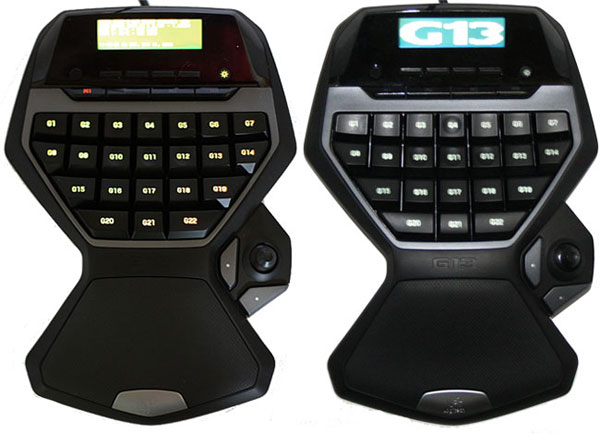
Featuring 22 backlit keys (G1 to G22) and small cut-outs on the center keys to help aid with finger positioning along the standard gaming WASD keys, the G13 also includes a small thumb-stick that acts as an additional digital key input rather than the analog joystick it actually resembles. The thumb-stick is also surrounded by 2 additional keys while the thumb-stick itself acts as an extra key when depressed.
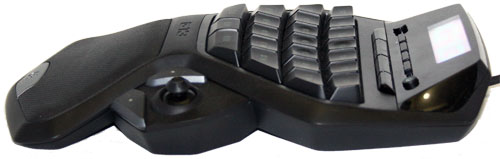
Some speculation surrounds the thumb-stick location is being too low and many user complaints reside around the inability of being able to rest your hand on the keypad and on the thumb-stick simultaneously. The thumb-stick is also difficult to manipulate in the heat of battle due to its small size. Ultimately your mile-age may vary depending on your hand size.
 The G13 also includes a 160×43 pixel monochrome LCD similar in size to the G15 2nd generation keyboard. While this display cannot show any high-resolution content, it can certainly display information pertaining to processor and memory utilization or health and armor information very efficiently. Along the side of the LCD display you will also find buttons to manipulate the brightness of the LCD and keys, manage which LCD profile is currently active should you wish to read the latest news headlines instead of your current health level. The LCD brightness can not be adjusted to varying levels and neither can the key backlighting, the brightness can only be adjusted to an on or off state.
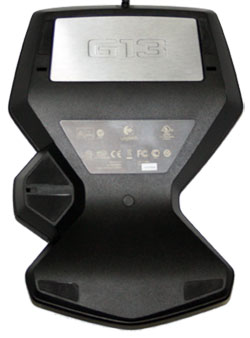
The Gameboard has a weighted base and non-slip Teflon feet to keep the unit in place on your gaming desktop which is certainly a welcome addition. Argueably the best addition over any standard gaming keyboard is the ability to save and export profile settings and macros to the G13’s internal memory similar to Logitech’s G9 gaming mouse so that no matter where you move with your G13, your hand-picked profiles will travel with you.
While the G13 lacks all the keys of a standard gaming keyboard it does work well as a companion or in unison with a good gaming grade mouse. With the right amount of customization the G13 becomes an more specialized input device that ultimately takes up less desktop space than any standard gaming keyboard.
Macros and Management Software
Equipped with the ability to also instantly record macros via the included Macro Record button located right next to the LCD, you can easily assign sequences of keypresses to any of the programmable backlit keys and instantly playback the macro in your favorite game.
Out of the box, the G13 software supports a variety of games, and Logitech now offers GamePanel Software 3.01.180 via its support website which features even more gaming profile and LCD application support. If your application or game is not currently supported via the official Logitech GamePanel software, then Logitech recommends customers either find customer built profiles or go and build their own profiles and LCD applications via the included software developer kit on the CD.
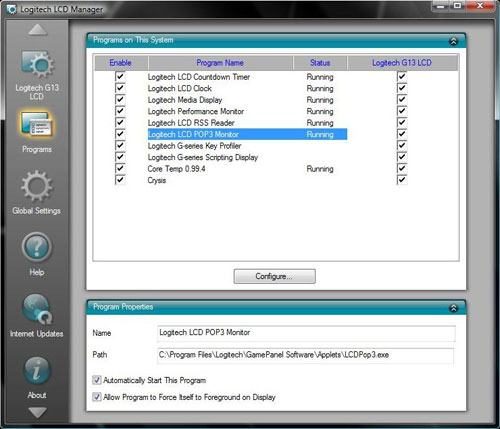
All 22 keys and the LCD lighting color can be easily configured via GamePanel software to any fathomable color scheme, however, both can not be defined separately meaning the LCD and back-lighted keys will have same color. The configurable color can then also be used to easily identify the G13 profile currently in use.
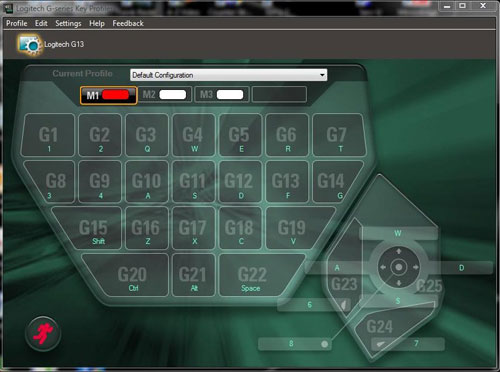
Similar to the G15 series of gaming keyboards, the Logitech G13 allows users to instantly record and assign macros to specific keys via the dedicated and always available Macro Record button or via the more intricate GamePanel software suite.
Real World Tests
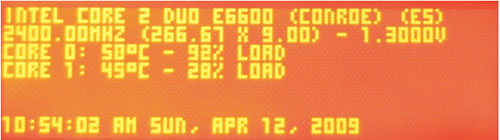
Our test PC featured a Core 2 Duo E6600, ASUS P5B Deluxe WiFi motherboard, ZOTAC GeForce GTX 260 AMP2! Edition graphics card and Windows Vista 64-bit with Service Pack 1 installed. By default I already have the Coretemp application installed to monitor temperatures on both processor cores and were surprised how easily Logitech’s software found, configured and displayed the Coretemp statistics.
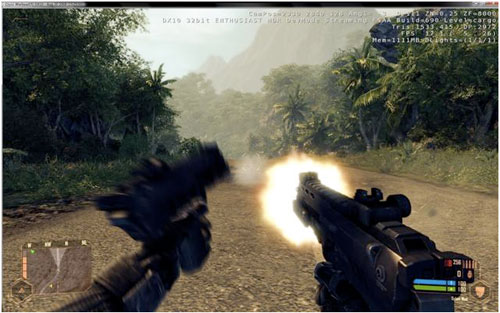
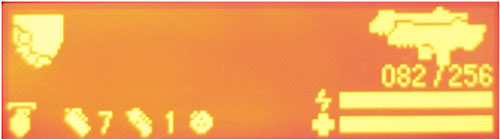
The same applied to the first person shooter game, Crysis Warhead. Once the Logitech software was installed, it easily picked up my installation of Crysis and upon launching the game I was presented with a real-time readout of my armor, health and ammunition status. Unfortunately the default key mapping to the G13’s 22 keys wasn’t that easy to understand since the G13’s multitude of keys have no easy way to distinguish which macro or key has actually been assigned to it. Since the thumb-stick also only acts as a digital key input, you quickly retreat to using your old gaming keyboard again.
It really is great how the LCD maps your health and more but truth be told, the on-screen display of your health, ammo and weapon of choice is far often more efficient than reorienting your view from the on-screen action to the G13 LCD and back again, especially when you’re in the middle of gun-fire and exploding grenades all around.
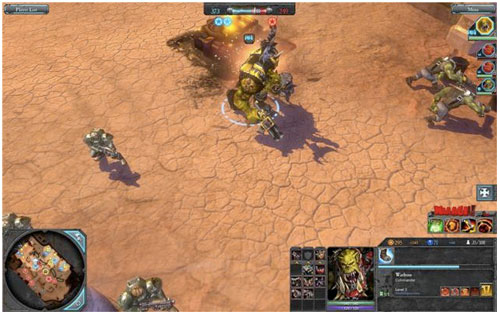
Since I went and tackled a first person shooter genre game with the G13, I figured we’ve give it a try with Warhammer 40,000 Dawn of War II, the current highly anticipated real-time strategy game. From the start the GamePanel software failed to automatically detect the game and further investigate lead to the discovery that Logitech hadn’t even updated the profiles supplied with the GamePanel software for months. This lead to a very long configuration of the G13’s keys to find the optimal layout for my gaming. With no pre-configured LCD profile to display pertinent information from the game, I was left with reading news headlines of the day among the frustration of having to remember what function key I had assigned to which key on the G13.
Recap
If you have the time, $70 to spare and a desperate need for a dedicated gaming control pad, you could do a lot worse than picking up the Logitech G13. This gameboard represents a well-thought out game controller for Windows and Mac systems that complements other gaming input devices but is ultimately let down by the lack of updated gaming profiles supplied by the manufacturer. The product is robust and the capability is there, should you invest the time to properly set it up. I would not hesitate to recommend it to any serious gamer providing your game is already supported by Logitech’s GamePanel software, otherwise I would recommend to steer clear until at least a few years later when the manufacturer has taken some serious time to provide decent updated gaming profiles.