External SSDs have rapidly overtaken HDDs as the preferred choice when it comes to mobile storage solutions for Macs and Windows PCs. Not only are they more durable compared to portable HDDs, but also competitively priced for their speeds and capacity. In this round-up, we have included six USB 3.2 SSDs from Crucial, Kingston, ORICO, Samsung, and Sandisk. These 1TB USB 3.2 SSDs offer universal compatibility with every Type-A and Type-C port. At the same time, they deliver a combination of stellar performance and affordability unrivaled even by high-end thumb drives.
Our Pick: Samsung T9
Among the portable SSDs compared, the Samsung T9 is our top pick for its exceptional sustained performance and build quality. In our stress tests, it outperformed the rest of the pack, maintaining a impressive sustained write speed throughout a massive 400GB folder transfer long after the SLC cache was exhausted.
The onboard USB 3.2 Gen 2×2 interface can further unlock its full potential with speeds close to 2000MB/s, provided you have a port to match. Plus, its 3-meter drop protection and full-disk 256-bit AES encryption offer peace of mind for both physical and data security. Samsung rounds out the package with a generous five-year warranty.
The Alternatives
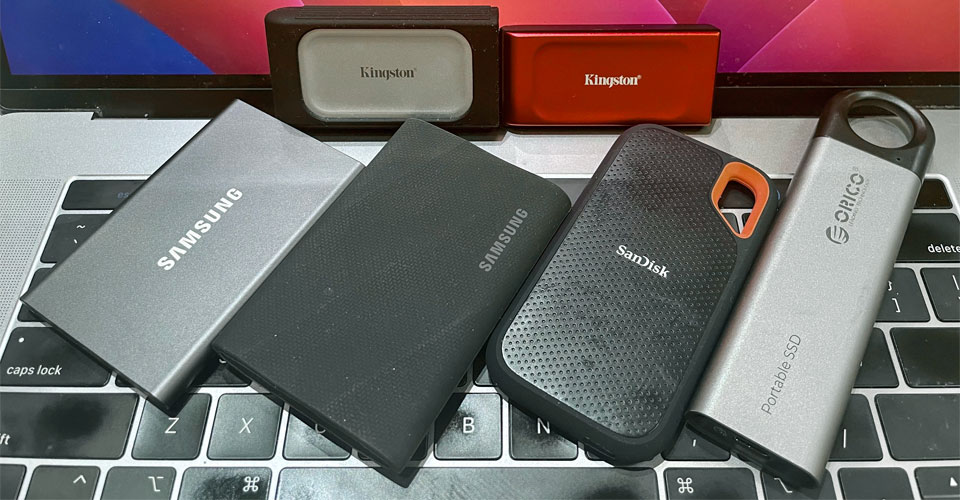
If portability is your primary concern, the Kingston XS1000 and XS2000 remain the most compact options available, though their write speeds can be inconsistent during heavy lifting.
Performance-wise, the SanDisk Extreme V2 is close to the Samsung T9 on a standard 10Gbps port; it is half the weight of the T9 and offers better water resistance for travel. However, SanDisk’s recent reliability history means buyers must take a bit of a leap of faith. A revamped V3 line-up is on the way, and we’ll be testing it as soon as it hits our lab.
The Samsung T7 is a solid all-rounder although its post-cache write speed lags behind the T9. Given that both drives retail within $15 of each other ($235 vs $250), the T9 is a better long-term investment for performance-oriented users.
Finally, Orico C10 offers a unique, lanyard-friendly design. Unlike Samsung and Sandisk, Orico sources its NAND from various suppliers, meaning internal components – and the resulting sustained performance – can be a hit-or-miss depending on the production batch.
The Current Trend
The portable SSD market in 2026 is defined by a paradox: technology has reached new heights while accessibility has plummeted. While USB 3.2 Gen 2×2 (20Gbps) is now the established performance floor and USB4 (40Gbps) is moving slowly into the mainstream, flash storage deals of the past are long gone. Industry-wide, we are currently navigating a historic price surge – often cited as the 2026 NAND Shortage – which has seen retail prices for popular models more than double since late last year.
Under the hood, USB 3.2 SSDs are now either NVMe-based SSDs paired with a PCIe to USB 3.2 Gen 2×1 bridge chip or native USB SSDs equipped with a direct NAND to USB 3.2 controller. Dual flash drives universally belong in the latter category, mainly because their reduced form factor requires an all-in-one solution that integrates SSD controller and USB bridge.
In real-world, our benchmark shows the latest batch of portable SSDs can easily handle heavy lifting with speeds of 700 to 800MB/s yet the external interface remains a bottleneck for PCIe Gen 3 NVMe drives. USB4 SSDs are obviously in a different league, pushing boundaries toward 38000MB/s by utilizing PCIe Gen4 x2 lanes, but until the NAND shortage eases, these high-bandwidth drives remain premium niche tools rather than standard consumer upgrades.
Feature Comparison
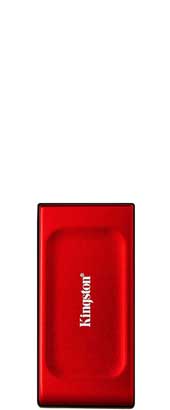 Kingston XS1000 SSD $191.90 for 1TB | 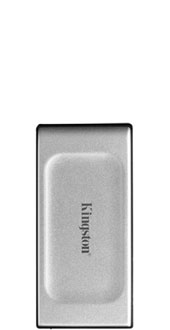 Kingston XS2000 SSD $246.48 for 1TB | 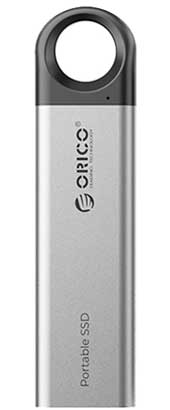 Orico C10 SSD $149.99 for 1TB | 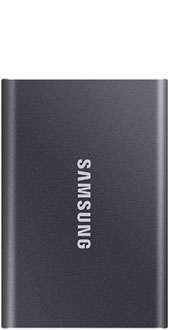 Samsung T7 SSD $244.99 for 1TB | 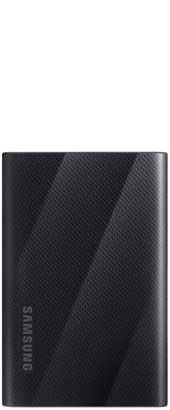 Samsung SamsungT9 SSD $239.99 for 1TB | 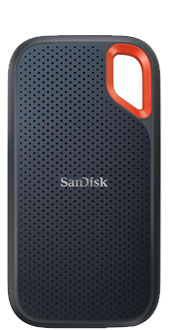 Sandisk Extreme V2 SSD $259.99 for 1TB |
|
|---|---|---|---|---|---|---|
| Interface: | USB 3.2 Gen 2x1 (10Gbps) | USB 3.2 Gen 2x2 (20Gbps) | USB 3.2 Gen 2x1 (10Gbps) | USB 3.2 Gen 2x1 (10Gbps) | USB 3.2 Gen 2x2 (20Gbps) | USB 3.2 Gen 2x1 (10Gbps) |
| Storage Options: | 1TB, 2TB | 500GB, 1TB, 2TB & 4TB | 256GB, 512GB, 1TB & 2TB | 500GB, 1TB, 2TB & 4TB | 1TB, 2TB & 4TB | 500GB, 1TB, 2TB, 4TB & 8TB |
| NAND Type: | Toshiba 112-layer TLC | Micron 96-layer TLC | TLC | Samsung 92-layer TLC | Samsung 128-layer TLC | WD 96-layer TLC |
| NAND Controller: | Silicon Motion SM2320 | Silicon Motion SM2320 | Silicon Motion SM2263XT | Samsung Pablo | Samsung Pablo | SanDisk 20-82-007011 |
| Bridge: | Silicon Motion SM2320 | Silicon Motion SM2320 | Realtek RTL9210 | ASMedia ASM2362 | ASMedia ASM2364 | ASMedia ASM2362 |
| Movie Read: (40GB MP4) | 778.56MB/s | 754.69MB/s | 797.07MB/s | 707.51MB/s | 768.06MB/s | 761.77MB/s |
| Movie Write: (40GB MP4) | 555.11MB/s | 558.30MB/s | 610.58MB/s | 521.43MB/s | 567.73MB/s | 561.22MB/s |
| Photo Read: (10GB JPEG) | 687.14MB/s | 533.58MB/s | 681.45MB/s | 432.62MB/s | 592.02MB/s | 452.81MB/s |
| Photo Write: (10GB JPEG) | 327.09MB/s | 348.51MB/s | 339.38MB/s | 338.64MB/s | 333.04MB/s | 367.67MB/s |
| Hardware Encryption? | No | No | No | 256-bit AES full-disk encryption | 256-bit AES full-disk encryption | 256-bit AES full-disk encryption |
| Operational Power Draw: | 0.86 to 1.86W | 0.86 to 1.72W | 0.61 to 2.67W | 1.98 to 3.33W | 3 to 4.6W | 2.8 to 4.2W |
| Power Draw During Idle: | 0.86W | 0.86W | 0.61W | 0.56W | 0.55W | 1.92W |
| Software: | None | None | None | Samsung Portable SSD App (Android) | Samsung Portable SSD App (Android) | Sandisk Security SanDisk Memory Zone |
| Dimensions: | 74 x 57.3 x 10.2mm | 74 x 57.3 x 10.2mm | 132 x 34 x 12 mm | 85 x 57 x 8mm | 88 x 60 x 14mm | 100.54 x 52.4 x 8.95mm |
| Weight: | 29g | 29g | 54g | 58g | 122g | 52g |
| Drop Protection? | Up to 2m | Up to 2m | Not specified | Up to 2m | 3m | Up to 2m |
| Environmental Resistance: | IP55 rating | IP55 rating | Not specified | IP65 rating | Not specified | IP55 rating |
| Build Material: | Aluminum metal alloy | Aluminum metal alloy (Rubber sleeve included) | Aluminum metal alloy with plastic hanging hole | Aluminum metal | Aluminum body coated with a grippy rubber sleeve | Plastic |
| Color(s): | Red & black | Silver | Silver | Indigo blue Titan gray Metallic red | Black Gray | Black with orange accent |
| Release Date: | Sept 2023 | Oct 2021 | July 2024 | Feb 2020 | Oct 2023 | Sept 2020 |
| Warranty: | 5 years | 5 years | 3 years | 3 years | 5 years | 5 years |
| Country of Origin Label: | Assembled in Taiwan | Assembled in Taiwan | Made in China | Made in Korea | Made in Vietnam | Made in Malaysia |
Pricing is last updated by Amazon on 2026-09-10 at 08:28. When you buy through Amazon affiliate links on our site, we may earn an affiliate commission.
Native USB vs Bridged NVMe SSDs
Two types of drives based on bridge- and single chip-based SSDs were tested in this round-up. Bridge-based drives – Samsung T9, T7, Sandisk Extreme V2, and Orico C10 – contain a full NVMe SSD as well as a dedicated bridge and a separate NAND controller. Both the T7 and Extreme V2 utilize the ASMedia ASM2362 USB-to-PCIe x2 bridge with support for USB 3.2 Gen 2 (10Gbps), while the T9 steps up to the ASMedia ASM2364 to unlock the higher-bandwidth USB 3.2 Gen 2×2 (20Gbps) protocol. The C10 incorporates the Realtek RTL9210 – a popular USB-to-M.2 SSD bridge found in DIY enclosures.
On the flip side, single chip-based drives integrate a USB bridge and NAND controller into a single piece of silicon. Both Kingston XS2000 and XS1000 take this route by incorporating the Silicon Motion SM2320. The XS2000 – the pro-version of the two – differentiates with onboard USB 3.2 Gen 2×2 support . This all-in-one design approach allows for a significantly smaller physical footprint as well as reducing overall cost.
One quick reality check, though. USB 3.2 Gen 2×2 (20Gbps) ports are still pretty rare. In fact, Mac support for Gen 2×2 is non-existent. For Windows, you won’t get that the full performance boost of an SSD that supports the dual-lane USB 3.2 mode unless your PC includes such a USB-C port. While 20Gbps ports are becoming common on enthusiast motherboards and high-end mini PCs, laptops have skipped them almost entirely in favor of USB4, which unfortunately defaults back to 10Gbps when connected to a Gen 2×2 drive.
Sequential Benchmarks
For the intended purpose of external SSDs, our focus was on sequential read and write performance as most users will primarily use these drives for moving large files.
Benchmark tests were carried out on Nodesoft’s DiskBench to compare read and write speeds between different USB 3.2 SSDs on a 2019 15-inch MacBook Pro. The port being used supports Thunderbolt 3 with USB 3.2 Gen 2×1 (10Gbps) compatibility. Our test files comprised a 40GB of MPEG-4 movie and 10GB of JPEG photos.
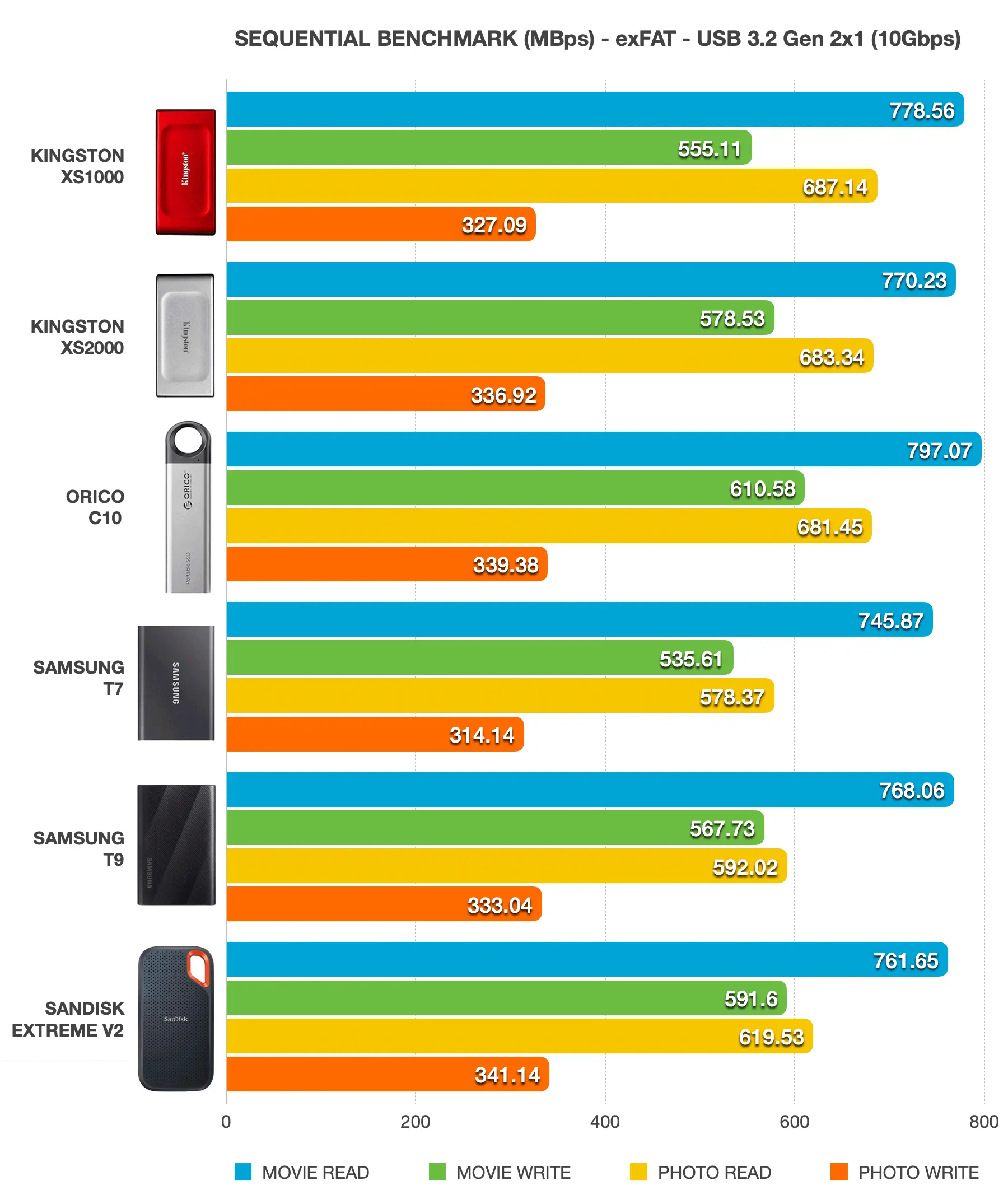
In terms of sequential read and write performance, all six external SSDs are fairly close for the relatively lightweight tasks we threw at them. The Samsung T9, Kingston XS2000, and Orico C10 emerged as the top performers, edging out the Samsung T7 and SanDisk Extreme V2 by roughly 7 to 17%. This lead is driven by their more modern controllers, which handle overhead with greater efficiency. Meanwhile, the Samsung T7 and SanDisk Extreme V2 are beginning to show their age; having been on the market for several years, their successors make for a better choice in terms of controller optimizations.
While the high-end Samsung T9 and Kingston XS2000 are both capable of supporting 20Gbps (Gen 2×2), the single-lane 10Gbps connection tested here has become the bottleneck for these drives. You should also manage your expectations, as 20Gbps ports are exceptionally rare on consumer PCs. For a true leap in performance, you have to move up to USB4 SSDs which are a different league of their own in terms of price.
SLC Cache Stress Test
When it comes to flash storage devices, performance consistency is of paramount importance. These external SSDs only live up to their manufacturers’ claimed write speeds when files are written into the drives’ SLC cache. However, once the cache has been exhausted, incoming data goes directly into the native QLC or TLC area. For denser and slower NAND like QLC, this can wreak havoc on writing performance.
The size of the SLC cache varies from drive to drive. Even within the same model, larger capacity drives have proportionally larger allocations of cache than smaller ones. For that reason, it’s worth putting the SLC cache size and the post-cache write performance of these SSDs into comparison. For the purpose of this test, we copied a 400GB folder with an assortment of movie files ranging from 5 to 10GB to our 1TB SSDs. We continuously monitored for any irreversible trend of performance loss during the course of the transfers. The results are organized in the table below.
| Kingston XS1000 SSD | Kingston XS2000 SSD | Orico C10 SSD | Samsung T7 SSD | Samsung T9 SSD | Sandisk Extreme V2 SSD |
|
|---|---|---|---|---|---|---|
| SLC Cache Size: | 100GB | 96GB | 30GB | 40GB | 23GB | 13GB |
| Post-cache Native Flash Write Speed: USB 3.2 2x1 (10Gbps) | 100MB/s | 300MB/s (during partial recovery) 60MB/s (lowest) | 300 to 360MB/s | 380 to 420MB/s | 560MB/s (native TLC write matching USB interface speed) | 560MB/s |
| SLC Cache Write Speed: USB 3.2 2x1 (10Gbps) | 555MB/s | 550MB/s | 610MB/s | 525MB/s | 560MB/s | 580MB/s |
| Approximate Performance Loss (%) Beyond SLC Cache Limit: | 82% | 54 to 89% | 40 to 51% | 20 to 28% | N/A | 3.5% |
The Samsung T9 1TB has a very impressive direct-to-TLC write speed as it easily saturated our 10Gbps port at a flat 560MB/s for the entire 400GB transfer. Since port speed is “stuck” at 10Gbps even over Thunderbolt 4 and USB4, the SSD effectively has “no write cliff” in a 10Gbps environment.
The Kingston XS2000 began at 550MB/s until post-cache write fell to 60MB/s after the 96GB mark. Its SLC cache did make partial recovery because write speeds started picking again and eventually hit 300MB/s. However, the drive fell into another cache cliff after what appeared to be another cache saturation. The cycle repeated itself until the completion of the transfer.
The Samsung T7 1TB was able to maintain around 525MB/s up to the 40GB mark. After that, there’s a noticeable drop in write performance to between 380 and 420MB/s. The Orico C10 followed a similar path, settling into a respectable 300 to 360 MB/s. The Sandisk Extreme V2 held its own against the Samsung T9 as the post-cache write speed was well within acceptable ranges. It has a relatively small SLC cache followed by a steady direct-to-TLC write throughout the transfer process.
Build & Durability
Every drive featured here is compact enough to fit easily into a pocket, despite of their design philosophies. ORICO C10 makes a very distinctive impression; on one end of the drive features a large hanging hole that hooks the C10 securely to lanyards, backpacks, or keychains. Its unique design does make the drive a lot longer than its competitors, though.
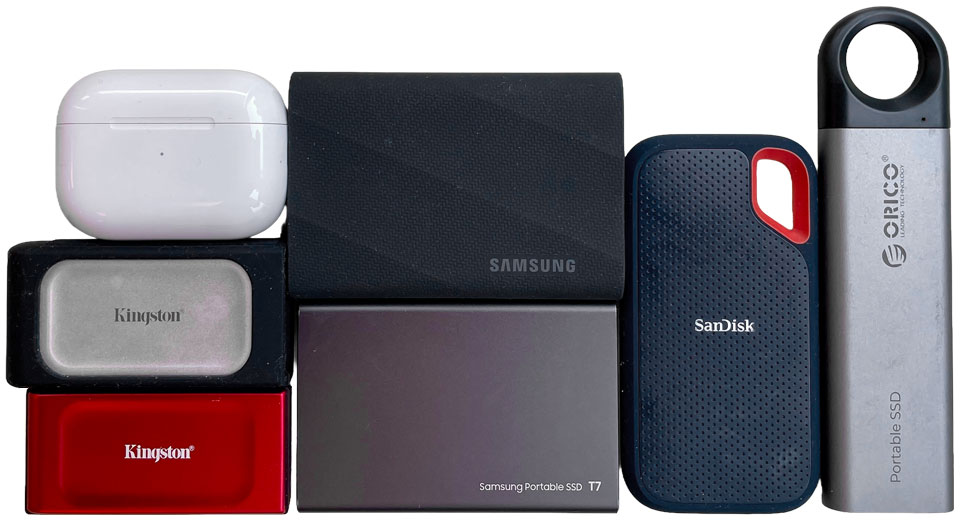
The Kingston XS2000 and XS1000 remain the most compact USB 3.2 SSDs tested here, measuring a mere 70 × 33 × 13.5mm. This tiny footprint – similar in size to an Apple AirPod 2 case – is made possible by its single-chip internal design. For protection, it comes with a reassuring rubber sleeve that wraps around the drive for drop protection.
Similarly, the SanDisk Extreme V2 features a silicone coating for impact and scratch resistance. While both are rated to survive a 2m drop, our only gripe with the Extreme V2 is the use of flimsy plastic on the front panel, which remains a structural weak spot.
In comparison, Samsung T7 is housed in an aluminum unibody case that feels quite durable in hand. It is thinnest drive in the group, offering a sleek, credit-card-sized profile profile that easily slides into pockets. While the T7 is tested for drops of up to 2m, the metal body is still prone to denting or scuffing if dropped onto a hard surface. The drive could use a silicone case or bumper that helps to hold up to everyday wear and tear.
Stepping up in both size and protection, the Samsung T9 is enclosed in a ruggedized aluminum body coated with a grippy, carbon-patterned rubber sleeve. This extra bulk isn’t just for show; it allows the T9 to claim a 3m drop protection rating and helps dissipate heat during long transfers. While it is the heaviest drive in this roundup at 122g, it feels the most professional grade of the bunch.
SSDs in general are highly resilient to physical shocks, but environmental factors are another story. The Kingston XS2000, SanDisk Extreme V2, and Samsung T7 are all rated IP55, meaning they are protected against dust and low-pressure water splashes. Interestingly, the Samsung T9 is built similar to its rugged sibling T7 Shield and even handles drops better than the others, yet it lacks an official IP rating for water and dust.
Best SSD Deals Online





Pricing is last updated by Amazon on 2026-09-10 at 08:28. When you buy through Amazon affiliate links on our site, we may earn an affiliate commission.