A phone can have a fast processor, a bright display and excellent cameras, yet still be a poor fit for your mobile service. SIM compatibility matters, particularly if you want to change carriers, add a second line or use a separate data plan when travelling. Many current smartphones support eSIM, but the feature does not work in exactly the same way across every model or network.
An eSIM replaces the removable SIM card with a digital profile stored in a secure component inside the phone. It does not guarantee cheaper service or better reception. Before switching, compare the type of plan you need, check the handset carefully and understand the difference between a mobile line and a virtual phone number.
How eSIM Technology Works
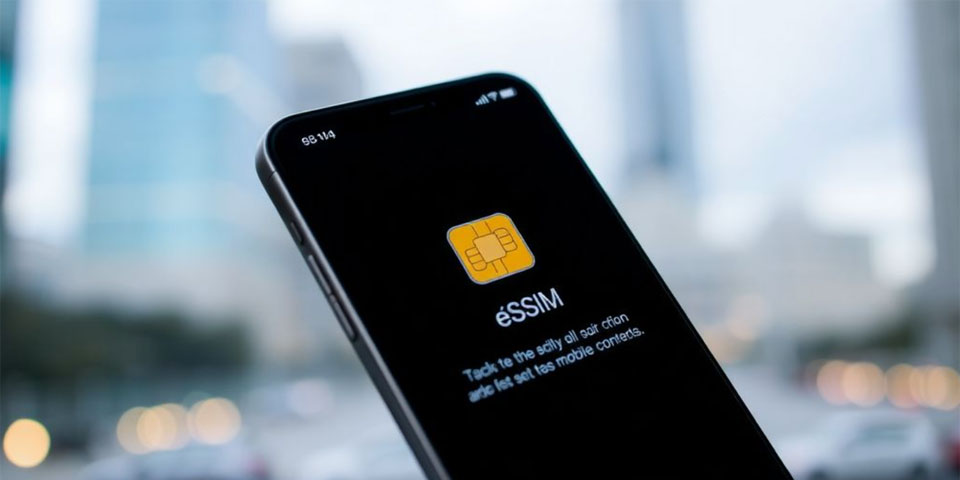
A physical SIM card identifies a subscriber to a mobile network. An eSIM performs the same role without a card that has to be inserted into a tray. The carrier supplies a profile that can be downloaded to the device, usually through a QR code, an app or the phone’s own mobile-network settings.
The profile contains the credentials needed to authenticate with the network. Once it has been installed and activated, the phone connects much as it would with a conventional SIM. The embedded component itself does not provide service: users still need a carrier or eSIM provider, a compatible plan and coverage in the places they use the phone.
The GSMA’s overview of eSIM technology explains the standards behind this system.
Which eSIM Option Fits Your Needs?
There is no single best eSIM plan for every phone owner. The right choice depends on what the line needs to do.
- A regular carrier eSIM suits people replacing a physical SIM with a digital version of their existing mobile service. It may include a local number, calls, SMS and data, depending on the carrier and plan.
- A travel data eSIM is designed for temporary connectivity abroad. Many packages are data-only, so they may not provide a conventional number for voice calls or SMS.
- A second line for work or personal use can be useful on phones that support dual SIM. Check whether the handset can keep the required lines active together and choose which line handles calls, messages and data.
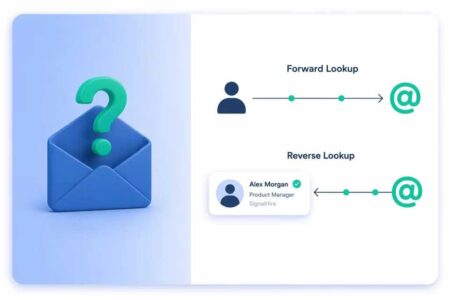
- A virtual phone number service is different from an eSIM. People researching eSIM Plus phone numbers should check what the service includes, such as incoming SMS, voice calls, supported countries and account-verification restrictions. A virtual number does not automatically provide mobile data, while a data-only eSIM does not automatically supply a number for calls or texts.
If you need both data access and a separate number, confirm that each service provides the specific functions you expect. Some websites also reject virtual numbers for one-time verification, so do not rely on one for a bank, work account or recovery method without checking first.
Compare coverage, supported countries, expiry dates, roaming charges, hotspot rules, renewal terms and the cost of extra data. A cheap package can be poor value if it expires before you use it or restricts tethering.
Check Compatibility Before You Buy
Compatibility is the first practical hurdle. A phone’s name or price does not prove that it supports eSIM. Manufacturers sometimes sell different versions of the same model for different regions, and a feature available on one version may be absent on another.
Check the manufacturer’s specification page for the exact model number, then look in the phone’s settings for an option to add or manage an eSIM. On iPhones, look under Cellular or Mobile Data; Android phones commonly use SIM Manager or Mobile Network. If the option is missing, check the exact model specifications.
The handset may also be locked to its original carrier. Even if the hardware supports eSIM, a locked phone may refuse a profile from another provider. Ask the carrier to confirm the unlock status before buying a plan, especially if the phone was purchased through a contract or second-hand.
Apple’s official eSIM setup guide describes activation on supported iPhones and notes the need for a compatible carrier. Android instructions vary by manufacturer. Some installations require Wi-Fi, a QR code or an app, and activation codes may have reuse limits.
Dual SIM, Transfers and Everyday Use
Many eSIM-compatible phones can use two mobile lines, such as a physical SIM plus an eSIM. Some models also support more than one eSIM profile, although the number that can be stored and the number that can be active simultaneously are not always the same.
Dual SIM can separate work and personal calls or pair a home number with a travel data plan. Check which line handles mobile data, calls and messages; choosing the wrong data line abroad may trigger roaming charges.
Think about transfers before switching. Moving a physical SIM to another unlocked phone is often straightforward; moving an eSIM may require a built-in transfer feature, carrier approval or a new QR code. Procedures vary by network and device. Keep the existing profile active until the new service works, and check whether the provider charges for reactivation.
If the phone is lost, contact the carrier and secure your accounts. The provider can usually suspend the line or help transfer service after identity checks.
eSIM or Physical SIM: What Should You Choose?
A physical SIM remains practical for people who regularly move one number between older phones or use carriers without eSIM support. It is easy to remove for troubleshooting, though the card can be lost or damaged.
An eSIM is convenient if you want to activate service digitally, add a second plan or avoid handling a SIM tray. It can be especially useful for travel, provided the phone is compatible and the plan covers the destination. Neither format guarantees better signal strength: reception depends on the network, supported frequency bands, local coverage and the phone’s radio hardware.
For frequent phone switchers, the carrier’s transfer policy may matter more than the format itself. For someone who keeps one handset for several years, a supported eSIM may be simple to set up.
A Short Checklist Before Switching
Before installing a new profile, confirm that the exact phone model supports eSIM and is unlocked if you intend to use another carrier. Check coverage, plan duration, calls and SMS, roaming, hotspot access, renewal conditions and the process for moving the service to a replacement phone.
Back up important information and keep access to account-recovery methods that do not depend solely on the number being transferred. If you use SMS codes for banking or work, test incoming messages before cancelling the old service. Do not delete an existing eSIM profile until you know the replacement works and you understand how to reinstall it if needed.
The best option is the one that matches the job: a carrier eSIM for regular mobile service, a travel eSIM for temporary data, or a virtual number when you specifically need an additional number and the provider supports your intended use. Check the details before paying, and the switch is much less likely to leave you without the connection or messages you rely on.