One of the most interesting things about the growth of Skype is the development of Skype-specific devices, which are (presumably) meant to ease the shock of talking on the “phone” using a microphone and some computer speakers instead of a headset, but take away the free aspect of Skype and impose a more organized, made-for-business feeling on the VoIP network. Of course, appearances can be deceiving, so today’s task: find out whether or not one particular Skype phone – the IPEVO Trio – makes the tradeoff of more features worth paying extra for your Skype hardware.
Design
One of the most interesting things about the growth of Skype is the development of Skype-specific devices, which are (presumably) meant to ease the shock of talking on the “phone” using a microphone and some computer speakers instead of a headset, but take away the free aspect of Skype and impose a more organized, made-for-business feeling on the VoIP network. Of course, appearances can be deceiving, so today’s task: find out whether or not one particular Skype phone – the IPEVO Trio – makes the tradeoff of more features worth paying extra for your Skype hardware.
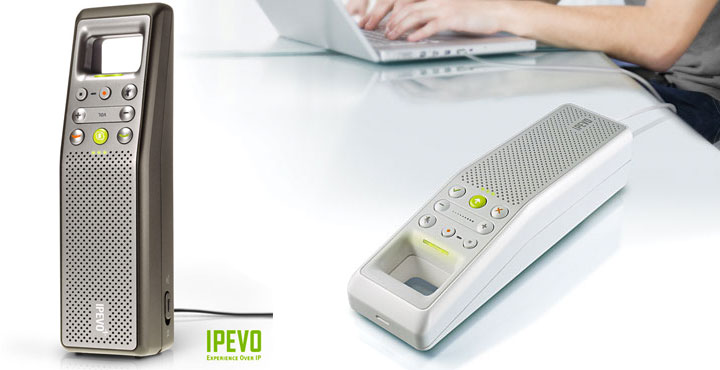
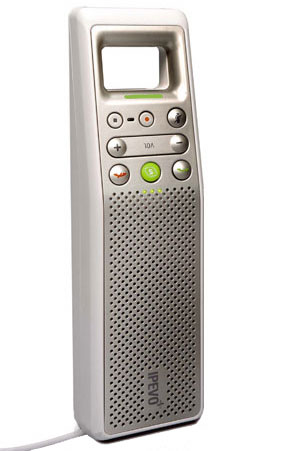
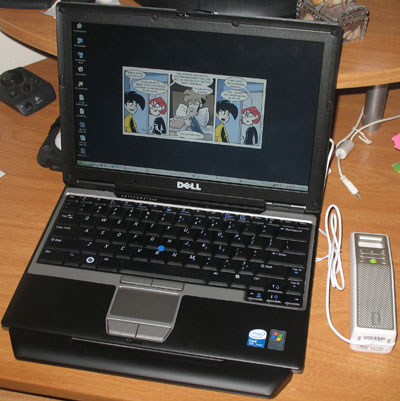
The Trio gets its name from its three-in-one usage abilities, with hand-held, free-standing hands-free, and flat on-the-desk conference call modes that can support up to four different numbers. Designed exclusively for use with Skype, the Trio has a USB connection, eight function keys, and hand-held to speaker-phone toggle for switching back and forth between different usage modes, all built into a compact white and gray plastic box shaped a bit like a race car. A groove in the bottom of the unit lets you tuck away the connection wire (albeit with some difficulty) so you can stand the Trio on one end during speaker phone calls; there’s also a green LED power indicator on top above the hands-free speaker, plus a speaker and a microphone in the back for hand-held mode.
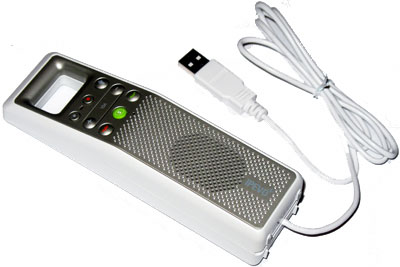
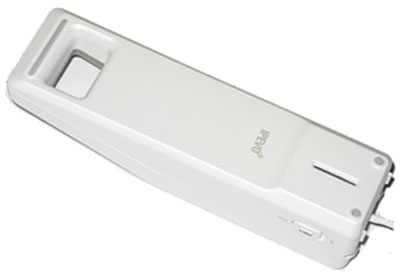
The buttons on the face of the Trio are probably the phone’s most interesting feature: besides the standard call and hang up buttons, there’s a Skype button, two volume controls, a mute button, and two buttons for starting and stopping the Trio’s freeREC mode, which allows you to record conversations for later playback. With the exception of the Skype key, all of these buttons put useful functions at your fingertips (although the IPEVO engineers missed another beat by not making the Trio’s call button an answer button, too); the Skype key’s major problem is that while it will open up the Skype program screen and switch program tabs, it won’t open Skype by itself, and it doesn’t help you navigate between tab options – you’ll still need to use your computer to make any selections. Some additional programming to make the Skype button more powerful would certainly help eliminate what’s essentially a useless feature.
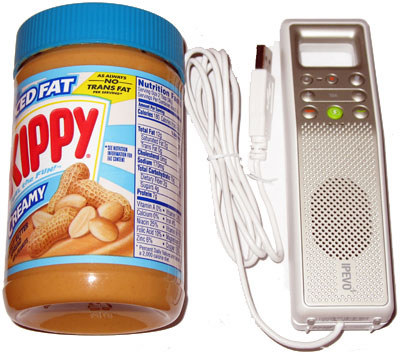
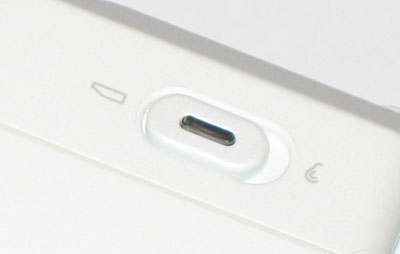
Two other complaints about the Trio’s design: first, though IPEVO’s designers may have included a microphone and a speaker for hand-held usage, they didn’t do a great job making the Trio comfortable to hold against your ear. Starting with the two rubber feet meant to keep the Trio from sliding off your desk in hands-free mode and ending with the squat protrusion of the speaker, using the Trio as a hand-held phone guarantees ear pain within the first ten seconds. Second, the Trio in hand-held mode ties you to a cable, which I’m pretty sure I haven’t had to deal with in a phone since the mid-1990s. Sure, you could just switch to hands-free mode if you want to walk around, and it’s possible that wireless USB connections wouldn’t provide the necessary bandwidth, but even with the Trio’s included extension cable you’ll still be using a phone tied to a (computerized) wall.
Software
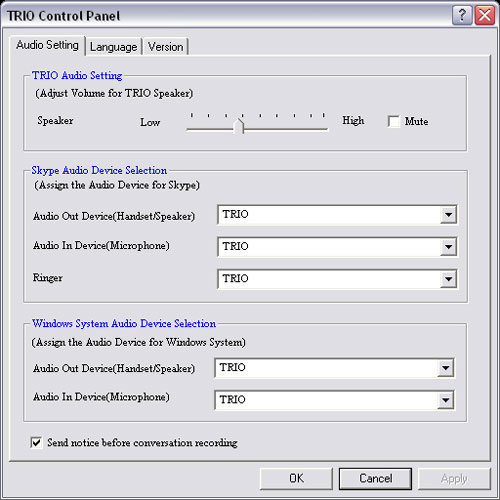
Although most of the Trio’s function revolves around use with Skype, which is a third-party program, the Trio does come with a small control program that installs itself into the Windows taskbar when your computer starts. Like the design of the phone, the Trio control software has some good ideas, but seems a little half-baked: its tool tip mentions whether or not you’re connected to Skype – something that the Skype taskbar icon already registers – but doesn’t mention the connection status of the phone, it stays active even the Trio isn’t plugged in, and there’s no way to disable the program from launching at startup or – for some unknown reason – launching and logging you in to Skype. On the plus side, the program does give you instant access to freeREC and the Trio’s control panel, where you can change settings like speaker volume and the sound output from incoming calls from the Trio to another set of speakers. There’s also a setting to change the program text from English to Chinese.
Sound Quality
The Trio’s biggest strength is its sound quality as a phone. I tested the Trio’s phone abilities in both hand-held and conference call modes with my wife, and found that on the Trio’s end, sound reproduction was as clear and balanced as any other modern telephone, especially in hand-held mode. The Trio’s small conference call speaker won’t blow you away with its dynamic range quality, but that issue seems to be par for the course with any telephone and doesn’t detract from the Trio’s usefulness. On the other end of the call, my wife found similar results, noting that the Trio sounded exactly like a real telephone, right down to the tiny, noisier sound that comes from talking on a speakerphone. All in all, using the Trio instead of a standard telephone won’t detract from having a conversation. Below is a sample WAV audio recorded in conference mode and weighing at 931KB.
freeREC Recording Function
freeREC is an audio recording utility IPEVO integrated into the Trio to allow you to record your conversations. It’s a pretty neat idea, especially if you conduct a lot of interviews – something IPEVO cleverly helps facilitate by adding a feature that by default warns the person on the other end of the line that you’re about to start recording – and has a nice seamless integration into the phone through the record and stop buttons, which have the instantaneous effect you’d expect from a digital recorder. Options within the program let you adjust the level of the microphone, set the sample rate to a few different values 8 khz to 44.1 khz, change the display language, set the filename convention, and choose where the program saves your files. A pop-down menu displays the list of files you’ve recorded, and lets you play them back through a transport system that includes a slider so you can select file location. You may find you prefer other media players when you’re transcribing a conversation, but freeREC works very well in a pinch.
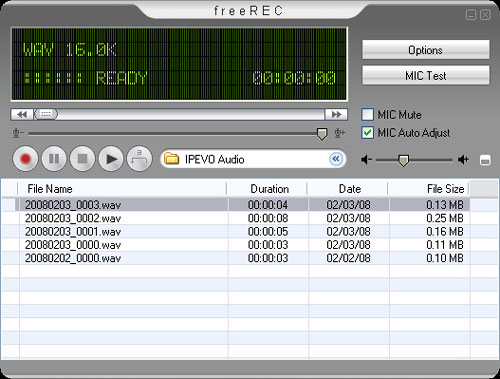
There are some problems, though: the software mentions an instant replay function, but it doesn’t seem to activate either before or after you record. The software gives you an option to select your input and output sources, but if you choose anything but the Trio for the output it tells you it needs to restart and resets the output. If you’re seeing a common theme here, there’s a reason: the Trio has a lot of attractive features – and a lot of bugs.
Recap
When it comes to choosing a standard phone alternative, sound quality is always paramount; there’s no sense in buying a phone that sounds worse than what you’re currently using. The Trio does very well in this area, but what keeps it from being a really outstanding piece of hardware are the minor glitches; the potentially powerful features that are currently stymied by a bug or missing some additional programming that could make them much more powerful and useful. Unless IPEVO fixes these problems, the Trio will never really stand out from the crowd.