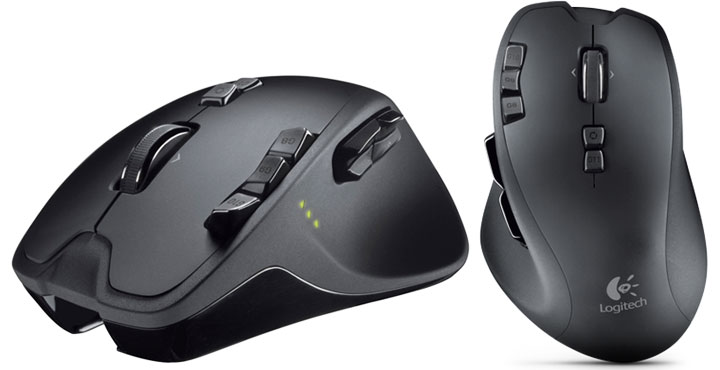
When it comes to PC gaming, you really are only as good as your gear. Logitech understands this key concept and continues to produce some of the best gaming peripherals, including the G930 headset & G510 keyboard. The latest gaming mouse, Logitech G700, looks to continue this tradition of excellence, with an amazing thirteen buttons. Let’s take a close look and see if it actually is as good as it looks.
Mouse Design & Ergonomics
Unmistakably from Logitech, the out-of-the-box fit and feel is second to none and only a properly tweaked and customized R.A.T. 7/9 can beat it. Even here, the difference is not as big as you think. The G700 will feel comfortable to anyone whereas the R.A.T. 7 will only feel comfortable for the main user.
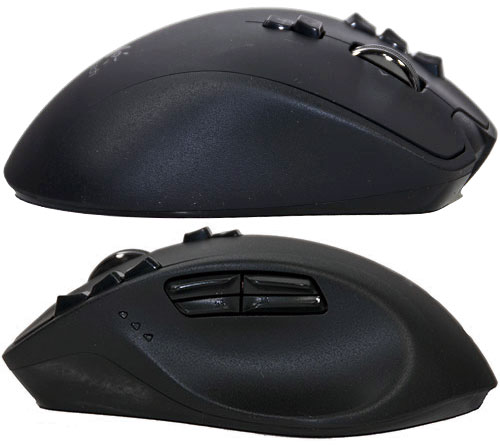
13 programmable buttons. Can you ask for more?
On the left hand side directly in front of the four thumb buttons is three multi-colour LEDs. These LEDs indicate battery level; DPI settings; and macro selection with the color green, red, and orange respectively. Unfortunately, the 5 profiles on the Logitech G700 is limited to the 3 LEDs present. While it is very easy to determine the G700’s battery life and macro mode, it is not overly intuitive for DPI setting is active. You really need to look hard to see where the darkened LED is. This is only a minor annoyance, yet it is one Logitech could have easily avoided by including two more LEDs.
The Logitech G700’s ergonomics is not groundbreaking, but the overall performance of this mouse certainly is amazing. This is the first I have ever used which not only sports 13 buttons, but does so in a sane and sensible manner. The 4 thumb buttons, while close together, are designed in such a way that you instantly know which button you are pressing and need not even look. The same goes for all the others. They are subtly different in shape from each other. The tactile feel of each button is distinctive and you will be hitting any of them with your normal level of accuracy almost right away.
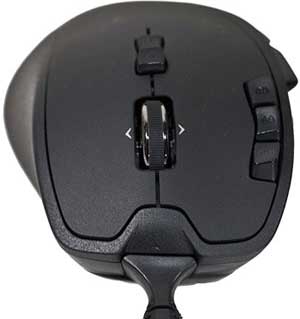
The wheel of the G700 gaming mouse sports not only a ratcheting mode but also a smooth free spin mode like the one found inAnywhere MX. For some tasks, the ratcheting precision is nice but for scrolling quickly through a long document, it’s hard to beat the speed of the free spin mode. To change between the two, you simply press down on the center upper button. Unlike many mice, the button behind the wheel adjustment is not a DPI changer; rather, it changes between the three custom modes. The G700 (in default configuration) has separate DPI up and down buttons near the left mouse button.
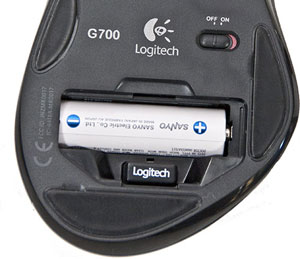
The base of this unit boasts several large ultra low friction feet which will allow it to continue to glide smoothly even with rough use. The sensor the G700 sports is extremely precise to say the least as it can go from 200 DPI all the way up to 5700. The other noteworthy feature of the G700 is that it can double as a wired mouse. Unlike most high-end Logitech wireless mice, this the G700 uses your typical “AA” rechargeable battery (Sanyo Eneloop 2000mAh). Better yet, you can continue to use this mouse as the battery recharges by simply plugging in the included USB cable and running it in wired mode. This is another simple tweak which makes this a great evolution of the Logitech line of gaming mice.

Installation & Software
The Logitech G700 is plug and play, but it is noteworthy after the first time you plug it wired, it will take an extra moment for it to be recognized and the proper drivers be installed. That is all you have to do in order to use this mouse. No additional software is needed. However, if you actually want to use all those new buttons and features, you really have to install the software to tweak the settings so they can be stored on-board the G700.
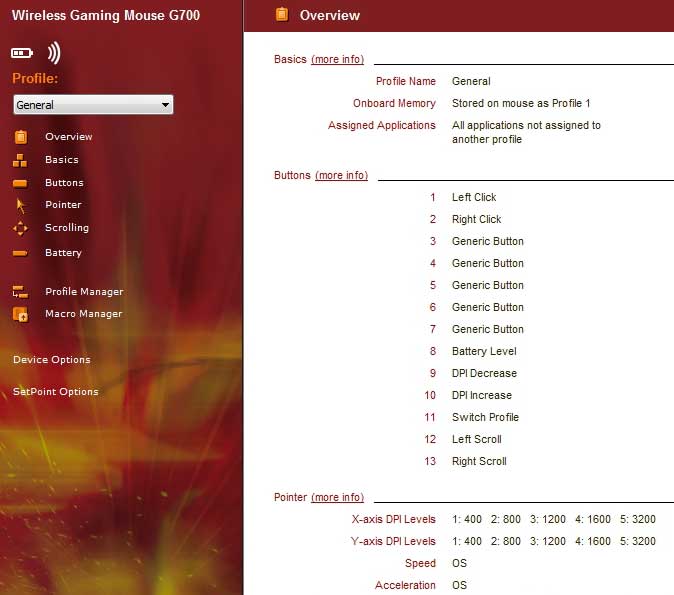
For anyone who has used SetPoint software in the past, you are in for a nice surprise as this new version is much better. In the past, I always considered the Logitech software to be their weak link, yet this new version is actually decent. I really can’t see the need to track down uber options and install that custom overlay as the default options combined with the easy macro creation has me covered.
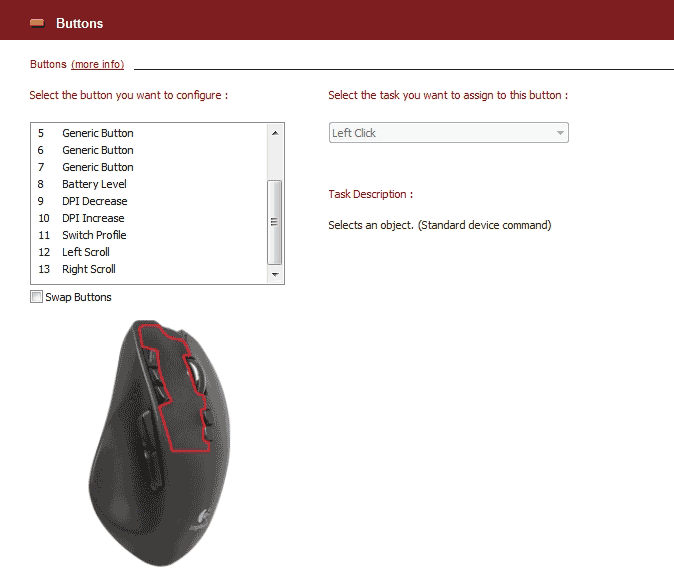
The G700’s software itself is extremely user-friendly and has plenty of popup help explanations if you need clarification on anything. All in all easy, straightforward and yet much more powerful than previous versions, which makes the G700 a breeze to customize.
Performance & Usability
For Logitech G700 testing, I have broken it down it into two main sections. The first is gaming. For the gaming section, I played three 6 to 8 hour marathon sessions using three different games over a period of three days. For the fast twitch genre, I picked Modern Warfare 2 (MW2) and Left 4 Dead 2 (L4D2). While similar in their need for fast reactions, both have different needs that can only be met by different capabilities. MW2 has a decent sniper ability built in, but puts less emphasis on fast 360º movements; whereas zombies in L4D2 can and do swarm you from all sides at near the same time. This does make having a high as you can stand DPI setting crucial for reducing damage taken. For the RTS crowd, I tried out StarCraft II where precision and not speed is the key to success.

The second set of testing consist of real world usage. While everyone dreams of gaming for a living, very few people will ever achieve this. To this end a combination of Excel, Photoshop and Firefox web surfing over an 8-hour period will help replicate a more “mundane” really world scenario.
Gaming Results
The user experience of the Logitech G700 is fantastic. This wireless mouse really is both smooth and potent gaming peripheral. The G700 may not boast weight customization or interchangeable components like my Mad Catz R.A.T. 7, but still makes for a great gaming mouse. Even after extended gaming marathons, my hand did not hurt and I didn’t miss my customized R.A.T 7. With that being said, a precision aim button like the one on R.A.T 7 can make things such as headshots easier. The added benefits of this mouse do outweigh this minor annoyance as the G700 was simply more precise. Even though Logitech has only opted for a single sensor for both X and Y, it is extremely precise and doesn’t lose tracking when the mouse is lifted which was a big problem with the R.A.T. 7.
The other thing that was extremely apparent is the new thumb and finger grip texture, which work very well. Even with an extended gaming session resulting in sweaty hands, not once did I misplace the my grip. If there is one thing which wasn’t perfect with this mouse, it was the battery life. I found that after only one 8-hour gaming marathon, the battery was edging towards empty. Thus, a swap for a higher capacity battery is highly recommended. On the positive side, where it is so easy to use this mouse in wired mode, this can be easily overlooked during extended use.
Everyday Applications
If there is one thing that Logitech is known for, it is making mice that work extremely well regardless of the environment or demands placed upon it. All those wonderful buttons and programmability really do make for some potent macro possibilities. The G700 was fantastic at everything from surfing to Photoshop to Excel. Best of all, it has enough buttons that you can set it up for multiple programs and not have to switch between profiles in order to use them.
Recap
Over the years, Logitech has defined, refined and even redefined what it means to be a gaming mouse. The Logitech G700 truly is a masterpiece of engineering. It really is the closest to perfection I have ever seen a mouse come. While it may not be as configurable as my Cyborg RAT, it more than makes up with its comfort.
I honestly thought it would take a while for me to even consider any other mice as my main rig’s gaming mouse after owning the R.A.T. 7. Yet here I am already getting ready to replace it with this new king of gaming mice. Make no mistake, the G700 is the new king and is probably going to be holding that lofty position for a long time to come. Even though it doesn’t have any way to customize its weight, it really is able to be both fast and precise at the same time. If you can afford the asking price, this is the gaming mouse to get.