

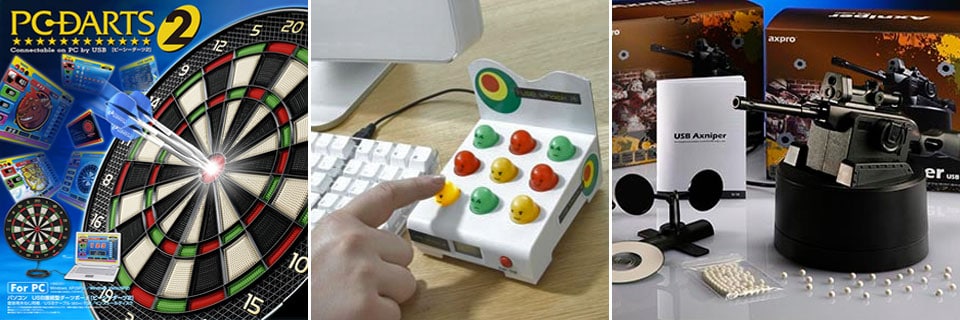
This collection of ten entertaining and offbeat gadgets – including USB dartboard, desktop defender and Whack A Mole – is what we call boredom busters that any cubicle worker will love.
Electric BB Gun
The U10 BB Gun from AXPro combines a motorized plastic launcher, USB camera, and software to create an 8-meter ranged, howitzer-looking cannon. Comparatively, the original Dream Cheeky launcher fires ‘Nerf’ style ‘missiles’ whereas this BB gun launches what appears to be 6mm airsoft rounds.
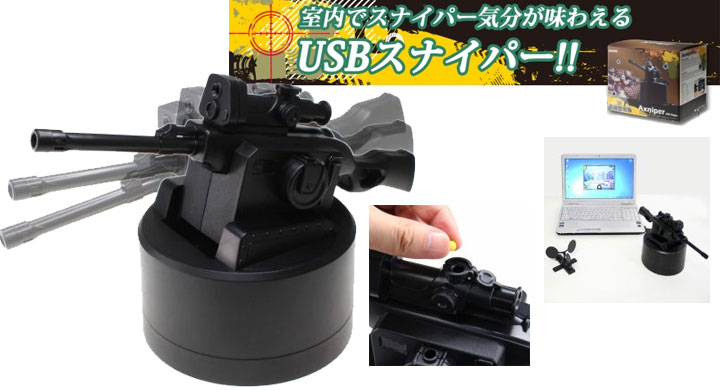
These rounds will be a lot more accurate at longer shots and less prone to the whimsy of air drafts and the like. Of course, they will also hit a lot harder, but we doubt anyone will consider them the modern version of the Red Ryder BB gun and we really doubt anyone will shoot their eye out with one.
To use this single shot ‘rifle’, all you need do is load the included plastic single round into the ‘cannon’, plug the 650-gram chunk of shootin’ iron into a free USB port, and then use the included software pan & tilt the BB gun until your target is in the crosshairs. When your unsuspecting target is in range, pushing your keyboard’s space bar launches the projectile.
USB Humping Dogs
Perhaps one of the most interesting USB gadgets of all time is the infamous USB Humping Dog from Cube based in Japan. It isn’t meant to be any useful; after all, all it does is hump, until you unplug it. Over the years, there are other USB dogs modeled after different breeds: Husky, Shiba, Doberman. But the functionality still hasn’t changed much.
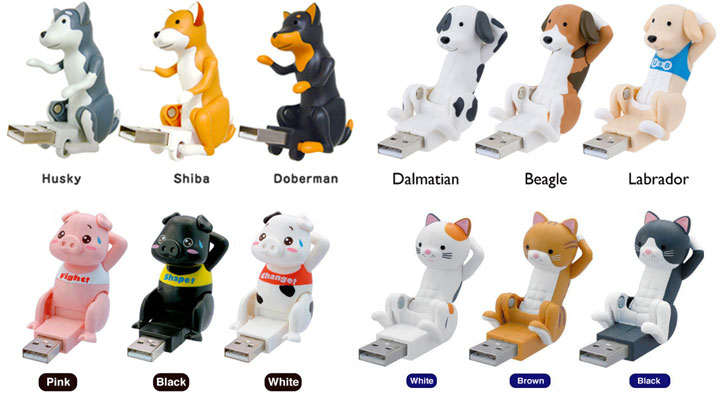
Recently, Cube started shipping animals and even Rocky that do crunches. They are certainly a more appropriate holiday present to your colleagues than their “humping” cousins. To be honest, the Rocky-series of Balboa, Creed, and Lang doing crunches does make more sense to us.

Whack A Mole
Ah those days of yore, spending all your allowance in the arcade; or spending your entire birthday party at Chuck. E. Cheese’s playing one game: whack-a-mole. For those of you too young to play the physical game (as everything is digital nowadays), you too can now spend hours and hours trying to kill those itty bitty moles; thanks to the release of the USB Whack It.
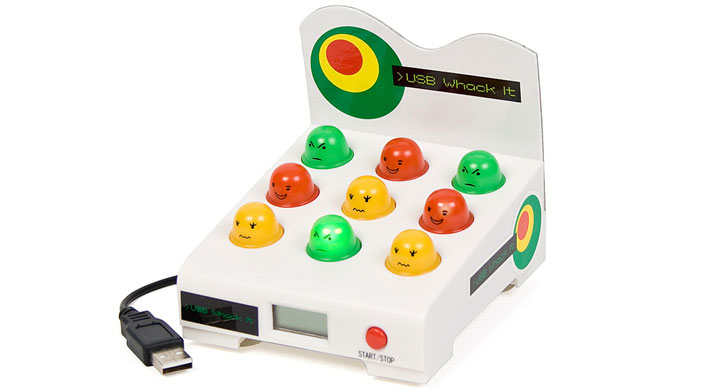
While the USB Whack It is indeed based upon the original game, it differs in a few key areas. First and foremost, the moles do not pop up. All the holes are filled with tiny, cute mole-like plastic busts which light up. Touching the one that lights up is the same as the whacking one in the original version. Do this before the internal light dims and you get a point.
And unlike the original, which basically just got faster until you missed too many of the little rodents, the $83 USB Whack It uses a 30 / 60-second timer. When the time is up, the game is over. Your score is displayed on the integrated LCD panel so you will easily be able to compete against your cube mates for who is the true whack-a-mole champion.
PC Dartboard
Electronic dartboards have been around for a while, but this version actually includes USB, which connects with the bundled software to mimic the gaming experience of a coin-op dartboard. All the settings in the software are customizable, from background to reward movies and game modes. This is what makes the PC Darts 2 fun in the first place.
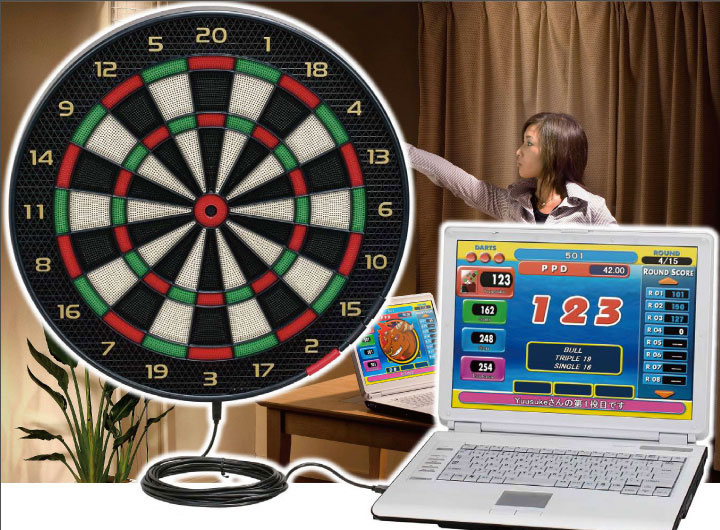
The software also keeps track of your performance and provides you with a statistical overview so you know how to improve your games. This USB dartboard costs $345, but dart beginners can perfect their throwing techniques so they won’t find themselves unprepared when visiting dart bars.
Desktop Sentry Turret
The puzzle-platform game Portal evidently has created a cult following its debut in 2007. Hardcore fans have since also shown a strong passion for the three-legged turrets which themselves have become a hot collectible item. Perhaps it’s time to consider a USB miniatured version – exclusively from ThinkGeek (and now Amazon).
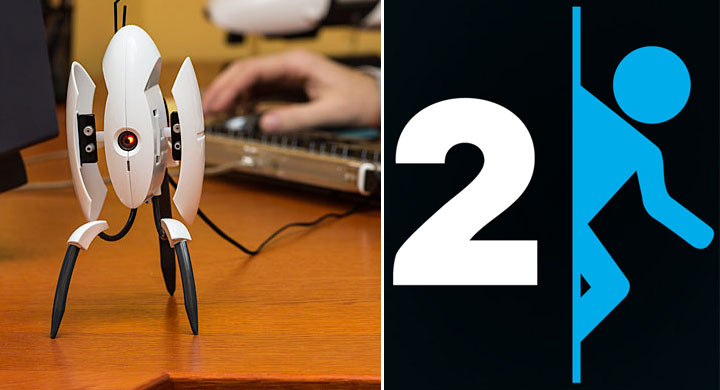
The officially licensed turret is pretty close to the real thing with its motion detector; self-retractable gun pods; and signature sweet-childlike voice recordings from the games. As soon as someone approaches, the turret would open its wings to reveal its mini-guns and warn the target in one of the following phrases: Target acquired; There you are; I see you; Preparing to dispense product, or Activated. If the turret is knocked over, it would vibrate repeatedly and alert you with an audible notification such as one of these “Critical error”, “Shutting down”, “Malfunctioning”, “I don’t hate you” or “Hey, hey, hey”.
USB Missile Launcher
Dream Cheeky USB Missile Launcher actually is a heck of a lot of fun to use. It basically consists of two parts a plastic base and a plastic rotatable turret upon which the four NERF darts are loaded. The turret is automated so and basically rotates left and right under its own power. It can also incline upwards by about 20 to 30º to help get some extra range out of its missiles.
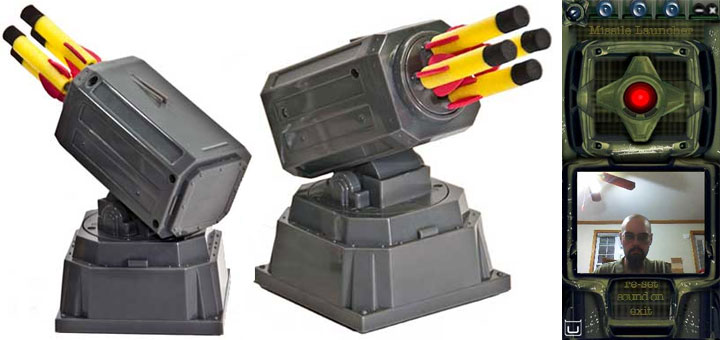
It may have some software issues that can rain on your parade, and it may not be even remotely quiet in operation but it really can launch those little bad boy darts further than you would think possible. If you and your colleagues at work are into what me and my mates used to call “cube wars” this 30-foot rocket launcher will give you a clear and distinctive advantage over them.
We just wish it could be quicker on firing its four rockets and come with more than 6 of them (as they are easy to lose). Overall, we did have a blast using it. If you are looking for a novelty gadget for yourself or a friend and you know they are into NERF-related paraphernalia you may want to check out this funky, fun little gadget.
WPM Speedometer
Have you ever wished that you could find out just how many words per minute you are capable of typing? Yeah, we have too. Now while most of us would just download some freeware that does the calculation for us, there is actually an office toy called USB WPM Speedometer.

The gauge in the center displays how many words per minute you are cranking out, but we aren’t quite sure what the gauge on the right is for. On the left appears to be a fan, which we are sure you are going to need when you redline it and are doing 200+ WPM.
Roll-up Drum & Piano
Dream Cheeky designed the USB piano and the drum kit to be inexpensive enough to make affordable novelty gifts. Both instruments combine rubberized mats with pressure-sensitive pads for their playing surfaces. Each instrument also includes processing hardware built into black plastic housing on one end of the instrument – right side on the piano, left side on the drum kit – in an arrangement that makes us think the designers wanted to give you the option of setting up both instruments at the same time.
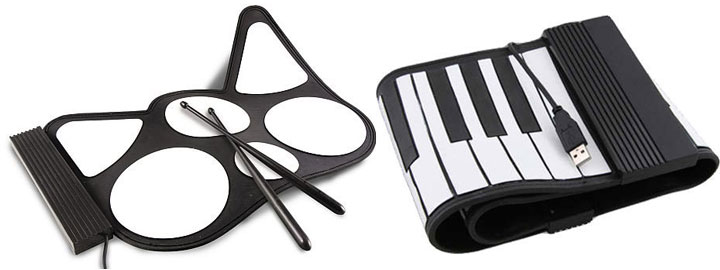
The pressure-sensitive pads on these mat-based instruments all have the same problem: they don’t react to the same relative amounts of pressure. Unfortunately, both of Dream Cheeky’s instruments suffer from the same problem. The drum kit comes with a shortened pair of black plastic drum sticks, whose presence seems to be a case of sheer optimism on the part of the manufacturer, as the drum kit’s pads require the much greater pressure of a sharply stabbed finger or a pounding palm to get any effect.
Meanwhile, the piano’s keys are so lacking in sensitivity that any playing beyond the slowest, most deliberate stab at the key was a waste of time. In addition, the piano’s keys are narrow enough to make chords – especially chords of more than two notes – virtually impossible for my fingers. We reckon if you were to work long and hard enough, you could probably master both of Dream Cheeky’s instrument pads (and develop fingers of steel along the way), but you’d probably learn some very poor playing technique in the process.


