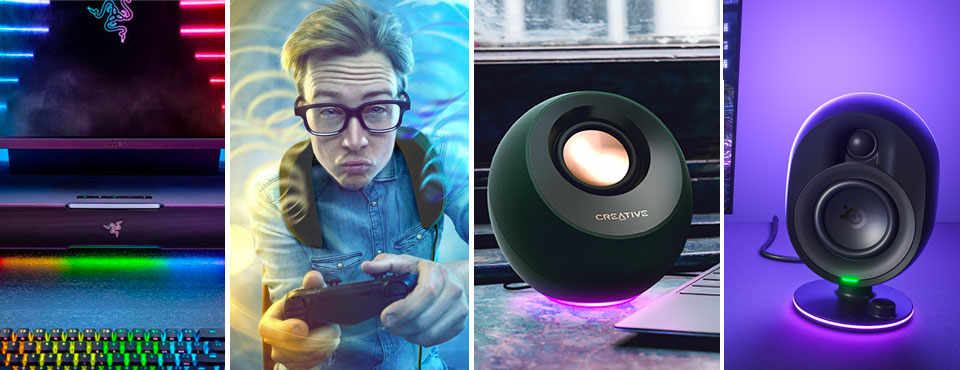
The vast majority of laptops, save for rare breeds like the MacBook Pro, come with mediocre built-in speakers at best. If you need an upgrade that blasts out room-filling audio and that produces a fuller, richer range of sound, here’s a list of PC USB speakers that deliver just that and more. In our September 2023 update, we have added Razer Leviathan V2 Pro soundbar and SteelSeries Arena 7 to the list.
Feature Comparisons
 Creative Pebble Pro $64.99 | 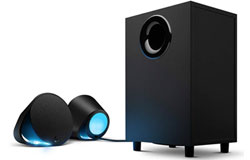 Logitech LogitechG560 $249.99 | 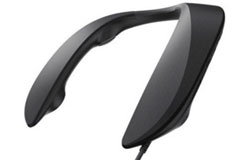 Panasonic PanasonicSoundSlayer GN01 Price not available | 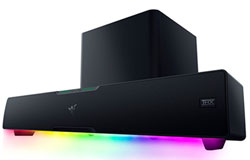 Razer RazerLeviathan V2 Pro Price not available | 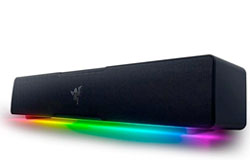 Razer RazerLeviathan V2 X $90.00 | 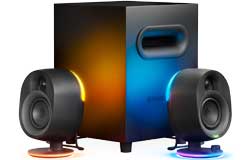 SteelSeries Arena 7 Price not available |
|
|---|---|---|---|---|---|---|
| Speaker Type: | Stereo speakers | Stereo speakers with subwoofer | Neck speaker | Soundbar with subwoofer | Soundbar | Stereo speakers with subwoofer |
| Interface: | USB-C (audio & power) Bluetooth 5.2 (SBC) AUX (analog) | USB-C (audio) Bluetooth (SBC) AUX (analog) | USB-A (audio & power) AUX | USB-C (audio) Bluetooth 5 (SBC) | USB-C (audio & power) Bluetooth 5 (SBC) | USB-C (audio) AUX Bluetooth 4.2 (SBC) Optical |
| RMS Output Power: | 10W 15W (with USB PD) | 120W | 4W | Unspecified | Unspecified | Unspecified |
| Frequency Response: | Unspecified | 40Hz to 18 KHz | Unspecified | 40Hz - 20kHz | 85Hz to 20kHz | 35Hz to 20kHz |
| Spatial Sound? | No | DTS:X Ultra | No | THX Spatial Audio | No | SONAR Spatial Audio |
| Dimensions: (WxHxD) | 123 x 123 x 118mm | 166 x 148 x 118mm (speakers) 255 x 404 x 207mm (subwoofer) | 209 x 240 x 46mm | 600 x 90.1 x 113.7mm (soundbar) 260 x 260 x 295.5mm (subwoofer) | 400 x 71 x 77mm | 105 x 196 x 126.2mm (speakers) 235 x 239 x 325.1mm (subwoofer) |
| Weight: | 365g (L) 415g (R) | 1.79kg (L & R speakers) 5.5kg (subwoofer) | 244g | 2.27kg (soundbar) 5.08kg (subwoofer) | 845g | 1.88kg (L & R speakers) 5.65kg (subwoofer) |
| RGB? | 3 lighting effects | Logitech LightSync 2 lighting zones (per speaker) | No | Razer Chroma RGB 30 lighting zones Bluetooth-controllable via app | Razer Chroma RGB 14 lighting zones Bluetooth-controllable via app | Prism RGB Illumination 4 lighting zones |
| USB Cable Length: | 1.5m USB-A to USB-C 1.5m USB-C to USB-C | 1.8m USB-A | 3m USB-A | 1.5m USB-C to USB-C | 1.5m USB-C to USB-C | Unspecified |
| Release Date: | Dec 2022 | April 2018 | Sept 2021 | Jan 2023 | Sept 2022 | Nov 2022 |
| Warranty: | One year | One year | One year | One year | One year | One year |
Pricing is last updated by Amazon on 2026-10-24 at 09:00. When you buy through Amazon affiliate links on our site, we may earn an affiliate commission.
Creative Pebble Pro Speakers
The Creative Pebble series has received numerous subtle upgrades since its inception. From extra power boost to re-engineered drivers, its fourth-generation speaker set is now positioned set as a ‘Pro’ model. Creative Pebble Pro now enjoys a higher RMS output as it is up from the previous model’s 8W to 10W. To kick it up a notch, you can further boost output by 50 percent to 15W (per speaker) if you power it through a 30W USB PD adapter.
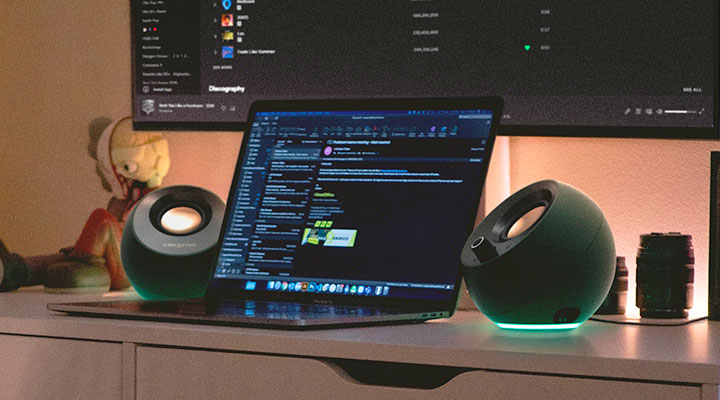
Creative has also included RGB lightning on the base of Pebble Pro. It’s a welcome addition but it works more like a mood light as the RGB colors and effects will neither react to game actions nor music. There’s also no app to customize the lightning. Everything needs to be done with onboard controls on the speaker.
There are three ways (i.e. USB, Bluetooth & 3.5mm AUX) to connect to this speaker but the primary connectivity method is USB-C. Not only is the speaker set powered entirely by USB-C, but they also receive digital audio from the same port. You still need USB-C for power even if you use Pebble as a Bluetooth speaker. Should you need to plug in a microphone and headset, there are jacks for those onboard Pebble Pro as well. Interestingly, there’s a Windows app that improves online call experience with a host of options from reducing background noise to auto-muting yourself by voice detection.
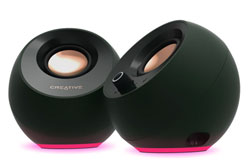
In terms of design, the Pebble retains its minimalist eggshell-like finish with drivers pointing at a 45-degree angle so audio is directed more towards the listeners’ ears. Each speaker is measured at 4.8 by 4.8 by 4.6 inches. You will find the volume knob and Bluetooth pairing button on the right speaker. Last but not least, Creative has increased the length of the audio cable hardwired between the left and right speaker to 1.8m. Pebble Pro V3’s two satellite speakers in contrast are tethered to a 1.35m cable. If you are in the market for a sub-$60 speaker set, Pebble Pro is worth checking out.

- LIGHT UP YOUR SETUP WITH RGB - With a range of RGB LED lights and 3 lighting effects to choose...
- POWERFUL AUDIO BEYOND ITS SIZE - Creative Pebble Pro incorporates a pair of all-new, powerful...
- CLEARER DIALOGS, DEEPER BASS FOR MOVIE LOVERS - Features our BassFlex technology to deliver...
Logitech G560 LightSync Speakers
Logitech returns to the gaming speaker arena with its G560 after a long hiatus. Like its competitors, the Switzerland-based PC peripheral manufacturer is already heavily invested in RGB lighting. It seeks to raise its game further with LightSync, which aims to transform the ambiance in your room by throwing different lighting against the wall from the LEDs behind the speakers.
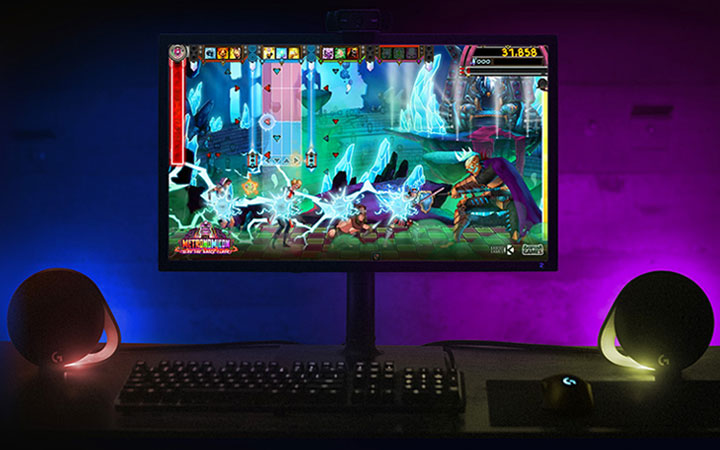
The G560’s gaming software does all the heavy work of coordinating with the speakers’ RGB lights to create custom lighting effects that reflect different gameplay scenarios. If you are being chased by highway cops in GTA5, lights behind the two satellite speakers will start flashing red and blue. Likewise, if you are getting low on health, the game developer could make the red ambient light, giving a rapid breathing effect to alert you of the current threat.
The same mechanism apparently works as well with movies as it does with games. However, there’s a slight lag for the reactive lights to respond since the software needs to process the screen refreshes before changing the colors to match. Lastly, in the audio department, the $200 Logitech’s 2.1 USB speaker set packs a downward-firing subwoofer and it is capable of delivering 120W RMS as well as simulating surround sound, courtesy of DTS.

- Built-in LIGHTSYNC RGB lighting blasts game driven lighting colors and effects activated by the...
- Explosive 240 Watts Peak power and unique driver design deliver a huge soundscape for a...
- Integrated DTS:X Ultra surround sound renders 3D positional audio so you hear your gaming...

Panasonic SoundSlayer Neckband Speaker
Neck-worn speakers are something that you would see in a Bluetooth package but the SoundSlayer Wearable Gaming Speaker from Panasonic comes in USB and for good reasons.

First and foremost, you get lower audio latency – something Bluetooth doesn’t offer unless your PC comes with AptX LL. Powering via USB also eliminates a built-in battery, hence saving some weight for the speaker. As the 340g SoundSlayer requires USB 3.0, the extra power (900mA) should deliver more than a little oomph for your audio – especially when the upward-facing speakers are positioned close to your ears. There’s still a 3.5mm stereo jack for compatibility with everything else. You will, however, need the SoundSlayer to be plugged into a USB port regardless of the choice of connection, however.
As a neckband speaker is aimed squarely at gamers, the SoundSlayer provides six different gaming audio modes, including role-playing, first-person shooter, and cinema. The first mode is designed to work seamlessly with Final Fantasy XIV as the neckband speaker is a product of the partnership between Panasonic and Square Enix’s sound team. The cinema mode should also work well with the SoundSlayer’s four full-range drivers positioned around your neck.

- Upgrade Your Listening Experience with Wearable Immersive Audio: Lightweight neck speaker...
- Dimensional, True-to-Life Sound: True Majestic Augmented Gaming Environment Sound System (TRUE...
- A Lightweight, Wearable Speaker System with Built-In High-Performance Echo Canceling...
Razer Leviathan V2 Pro Soundbar
Razer is giving virtual surround sound a second chance with its Leviathan V2 Pro. This time, it has paired up THX’s Spatial Audio with Audioscenic’s beamforming, head-tracking tech to create a personalized spatial audio experience. Razer achieves this by utilizing a front-mounted IR camera track position of your head and ears and mix the sound algorithmically. In doing so, the sound bar gives you an aural illusion that you are always in the center of the action even if you aren’t sitting in the ‘sweet spot.’
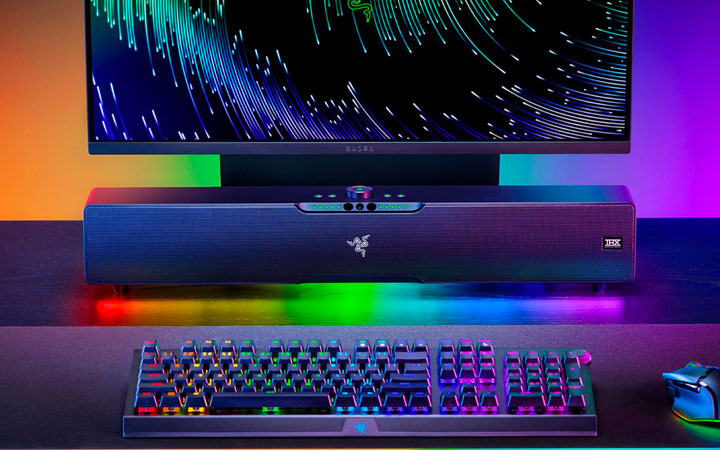
There are two modes that are particularly interesting to gamers. Coupled with THX Spatial Audio, both Virtual Headset and Virtual Speakers option offer an expansive soundstage with their own unique twist. The headset mode provides you with a certain degree of tactical advantage during competitive gameplay as it allows you to discern the direction of the gunfire, thereby helping you approximate the position of your enemies.
In contrast, the speaker mode is intended to bring sound effect representations that you would normally expect from a sound bar with discrete satellites. This option is better suited for action-packed movies and single-player games.
This nifty tech only works with one person at a time. So, if you have other people present in the same room, there’s also a Room Fill option that disables the use of the IR head-tracking feature but widens the stereo image to make the audio sound more spacious.
Hardware-wise, the 24-inch long sound bar features five 2-inch full-range drivers. Additionally, it includes is a 5.25-inch downward-firing subwoofer that measures 10.2 by 11.6 by 10.2 inches. There are now 30 zones for Razer Chroma RGB lights. Everything from sound modes to 10-band equalizers and RGB settings can be customized through Razer’s Synapse app.
In terms of connectivity, Leviathan V2 Pro is strictly a USB-based Windows speaker, designed exclusively for PC gaming. This explains the absence of an optical input, as the sound bar was never designed to work with a TV. The Bluetooth onboard will suffice for music streaming, but without more robust audio codecs, it introduces too much latency for gaming. Lastly, you won’t find any discount for this $400 sound bar as it’s sold exclusively on Razer website for the time being.

- BEAMFORMING SURROUND SOUND WITH HEAD-TRACKING AI — Powered by Audioscenic technology, the...
- THX SPATIAL AUDIO — Enhanced by advanced spatial algorithms, the soundbar’s personalized...
- MULTI-DRIVER PC SOUNDBAR AND SUBWOOFER — Featuring 5 full-range drivers supported by a...
Razer Leviathan V2 X Soundbar
Razer in late 2022 further expanded its soundbar line-up with a Leviathan V2 X. It is however less of an upgrade and more of a slimmed-down version of its higher-end cousin. For starters, V2 X is 10cm shorter and 40 percent lighter than the original model.
Going with a more compact design inherently reduces the number of RGB elements on the speaker. In the case of the Leviathan V2 X, there are still 14 RGB lighting zones as opposed to 18 on the V2. Internally, you will see a pair of full-range drivers as well as a passive radiator but you won’t find tweeters. The absence of a subwoofer also means the bass won’t be as punchy as you would want it to be.
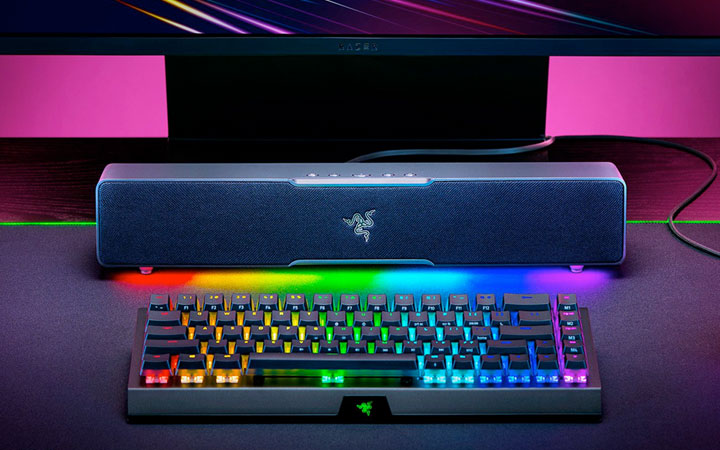
This particular Leviathan V2 – like the Creative Pebble Pro – is powered exclusively by a USB-C cable. Strangely, Razer doesn’t bundle a power brick so you will make sure you have a USB-C port that supports Power Delivery for this soundbar to work. There’s still Bluetooth 5.2 onboard yet the V2 X doesn’t come with a built-in battery for it to double as a portable wireless speaker.
In the software department, Razer has ditched THX Spatial Audio. You won’t be missing anything as the soundbar is too small to provide a virtual surround sound experience anyway. Despite the similarities in aesthetics, the two Leviathan V2 models are clearly targeted at different users. The more expensive one with a subwoofer and THX Spatial Audio is clearly intended for deep-pocket gamers. In contrast, the lesser model is for those who are looking for a minimalist sound system and can settle for stereo audio.
- PC Soundbar with Full-Range Drivers: Armed with two full-range drivers and two passive...
- Compact Desktop Form Factor: The most compact soundbar in our Leviathan V2 range fits perfectly...
- USB Type C Power and Audio Delivery: Powered by a single USB Type C cable to deliver dynamic...
SteelSeries Arena 7 Speakers
SteelSeries Arena 7 is a traditional 2.1 desktop speaker system consisting of a pair of speakers and a subwoofer, It is the middle child of SteelSeries’ late-2022 speaker line-up, which also includes a simple stereo setup and a full-fledged 5.1 surround sound package. Together, they mark the company’s first venture into the gaming speaker space.
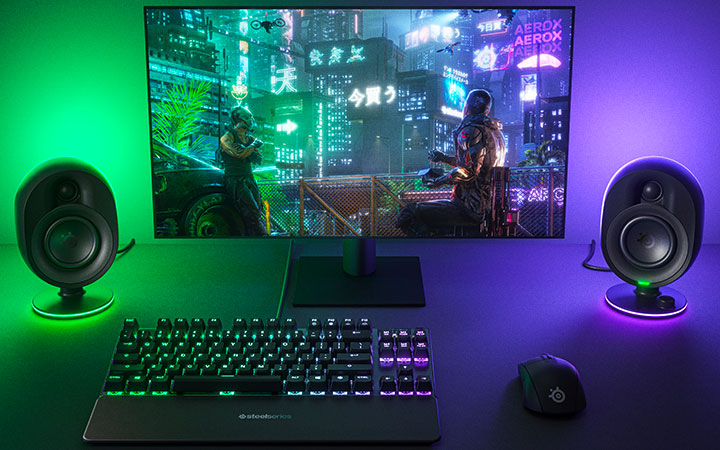
Made for gamers in mind, you will find reactive RGB LED lighting at the bottom and on the back of the Arena’s speakers. The rear RGB serves to light up the wall behind your desk and certainly adds an extra dimension to your gaming experience. The bundled SteelSeries GG software allows you to tweak RGB illuminations, fine-tune EQ settings, enable Sonar spatial audio, and more.
The core of the SteelSeries Arena 7 is a pair of two-way speakers. The 3-inch organic-fiber woofers cover the lows while the 0.75-inch silk dome tweeters produce the highs. On top of that, there’s also a 6.5-inch downward-firing subwoofer which doubles as a the connectivity hub. On the rear panel, you will find USB-C, AUX, and optical in/out as well as connectors for both left and right channel speakers.
Furthermore, there’s also built-in Bluetooth and you can mix incoming audio signal with whatever is coming from the primary sound source. For pairing with Bluetooth phones or tablets, a dedicated pairing button is located on the base of the right speaker. On the base, you will also find volume controls, a mute button, an RGB power switch, and an additional AUX for connecting a 3.5mm headset.
- 2-Way Speaker Drivers – Separate silk dome tweeters and organic-fiber woofers enhance detail...
- Reactive PrismSync – Turn your gaming space into a lighting show with ambient, 4-zone LEDs...
- Powerful Subwoofer – Enrich your gaming sound with thundering, deep bass, emitted by a...
That’s all for now. Hope you find these USB speakers suited for your needs. If you come across anything else that should be added to this list, please let us know by leaving your suggestions or comments below.