Everything USBHardwareUSB Video Adapters

Tritton SEE2 USB 2.0 SVGA Adapter

Google
Web    Everythingusb.com  
 
Tritton SEE2 USB 2.0 SVGA Adapter
Tritton SEE2 USB 2.0 SVGA Adapter Review June 2nd, 2005

Pros: Convenient for multi-tasking; trouble-free installation.
Cons: A bit laggy when there're too much screen activities.
Verdicts: The Tritton SEE2 SVGA USB Adapter – the first external video card - is targeting at a very niche market in a Windows world, yet it remains a viable option for adding a second or a third display in SOHO environment.

Multimedia functions have always been pushing the limit of USB 2.0 – maxing at 40MB/s or maybe 50MB/s realistically. When Tritton decides to combine a Netchip NET2280 PCI-to-USB controller and a VGA chip together, most people are skeptical as to how USB can handle the load. You'll see that the Tritton's SEE2 SVGA USB Adapter reviewed today may not be everyone's choice for adding a second display, but the USB video card has its strengths that are overlooked.

Package Content
- Tritton SEE2 SVGA USB Adapter
- Manual
- 8cm driver CD

The Benefits
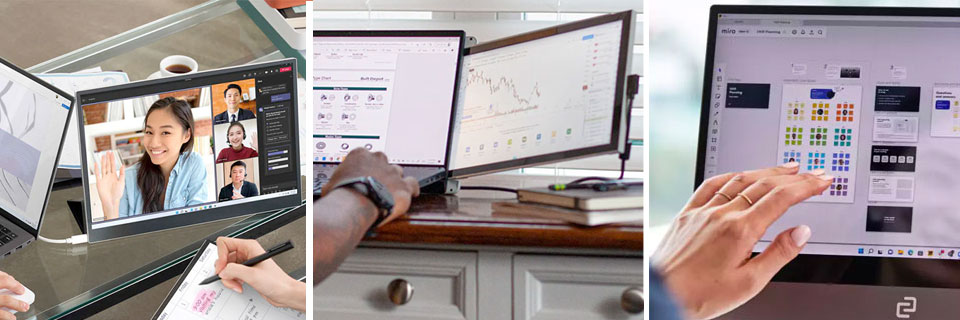
The benefits to having additional display(s) is simply too long to list. Whenever you need to work with two or more programs concurrently, the additional desktop space will save plenty of time switching between apps with alt-tab. Pushing up the resolution may work, but will probably never give you enough room for another window, let alone two. That's where multi-monitor comes in. An analyst can have one big spreadsheet on one monitor and a video conferencing session on another discussing the data. We at Everything USB use the second monitor for viewing reference material while writing reviews on the primary screen.


Desktop PCs usually come with just one video card and loads of USB ports. Granted, PCI video card is perhaps a better candidate to take on the task, but the Tritton SEE2 SVGA USB Adapter will serve better for those who are hesitant to crack open a PC for various technical or admin reasons. Moreover, when you just to expand the workspace for a few minutes and then share the adapter with your colleagues, the adapter will save you the cost of buying additional PCI cards and time needed for installations (and un-installations).

Windows notebooks are another story; they all come with either a DVI or 15-pin analog VGA that can extend desktops without any hassles. While the SEE2 adapter may not appeal to this group, you can use it for a third display if it's ever needed. There are of course laptops and even desktops without provision for external monitor support, such as iMac, Mac mini, iBook, HP thin clients and all-in-one Windows machines. Besides desktop expansion, the Tritton SEE2 SVGA USB Adapter also does video mirroring which comes in handy for PowerPoint presentation on a projector or desktop replication on a larger monitor.

Installations & Performance
Getting the SEE2 SVGA USB Adapter to started streaming video requires you to have Windows 2000 or XP with an available USB 2.0 port. The USB adapter - somewhat similar to a USB serial converter - is compact enough to be put in a pocket. It has a blue LED on top to indicate bus-powered activity, and vents on both sides to dissipate the heat. Tritton gives you an 8cm CD and a small booklet containing instructions, FAQs, brief troubleshooting tips.

The latest driver has just passed WHQL testing as of this writing, but it's not yet signed. During installation, Windows will keep telling you to proceed with caution. You can simply continue without worries. After a reboot, connect the secondary monitor to the adapter and plug in the USB. A new utility will pop up in the taskbar, allowing you to switch between primary, extended and mirror. Basically, the 'primary' mode tells Windows to treat the SEE2 as the main display adapter while the system's AGP or PCI video card handles the desktop extension. The 'extended' exchanges the role of the two adapters. Lastly, the 'mirror' is used to replicate the video display on the other monitor. This utility also lists out all available resolutions from 640-by-480 32-bit to 1280-by-1024 16-bit.


During our full-week testing on a Windows XP running a Celeron 2.2Ghz with 512MB DDR RAM, the Tritton SEE2 SVGA USB Adapter pretty much did everything a PCI video card would do on the 2D aspects, albeit a tad laggy in screen response. At 1024-by-768 in 32-bit colors, scroll speeds in Arobat and FireFox were acceptable, but not silk smooth. Text came out sharp, and was on par with our onboard Intel 845G graphics controller.

Playing back QuickTime trailers in letterbox size resulted in occasional drops of frame rates during fast actions and high CPU usage at 70%, which have come to be expected. (As a note, these trailers usually required at least 50% CPU resources to decode on the Celeron even without the SEE2 plugged.) A few sluggish moments came when we stumbled upon a webpage filled with flash ads and when we tried to playback video in full screen. And the lack of Direct3D could be a problem for some design apps as well.

The Bottom Line
Overall, the performance lives up to our expectations. At the current price, the Tritton SEE2 SVGA USB has proved itself to be a real time-saver when it comes to saving install time and boosting productivity. If you're also a user of iMac, iBook and Mac mini, Tritton will be shipping a Mac version of SEE2 in early July to address the video port-less problem on these machines.


Where to buy Tritton SEE2 USB 2.0 SVGA Adapter?


User Review(s)
We're currently upgrading our user review system; so we won't be accepting new reviews for now.

SEE2 USB 2.0 SVGA Adapter Specs
Interface(s)Hi-Speed USB
Released dateOctober 2004
PlatformsWindows 2000, Windows XP
Output(s)15-pin analog VGA
Resolution(s)640 x 480, 800 x 600, 1024 x 768, 1152 x 864, 1280 x 768, 1280 x 1024 (16-bit)
Power sourceBus-powered
WarrantyOne year

Extras
Lost a USB cable? Get a replacement USB cable.
Running out of USB ports? Get an extra USB hub.
You may need a new USB card to achieve Hi-Speed USB speeds.
Confirm with our USB 2.0 FAQ if you have Hi-Speed USB on your PC.


Copyright 2002, 2003, 2004, 2005, 2006, 2007 Everything USB
Home - News - USB Hardware - USB Apps - Forums - About Us
Sitemap - Reader Resources - Privacy Policy